Opening January 2026 in Santa Monica   Keep me posted


Privacy Policy


MicTap (“us”, “we”, or “our”) operates the MicTap app (the “Service”).

This page informs you of our policies regarding the collection, use, and disclosure of Personal Information when you use our Service.We will not use or share your information with anyone except as described in this Privacy Policy.

We use your Personal Information for providing and improving the Service. By using the Service, you agree to the collection and use of information in accordance with this policy. Unless otherwise defined in this Privacy Policy, terms used in this Privacy Policy have the same meanings as in our Terms of Service, accessible here.


Information Collection And Use

While using our Service, we may ask you to provide us with certain personally identifiable information that can be used to contact or identify you. Personally identifiable information (“Personal Information”) may include, but is not limited to:

  • Name
  • Email address


Log Data

We collect information that your browser sends whenever you visit our Service (“Log Data”). This Log Data may include information such as your computer’s Internet Protocol (“IP”) address, browser type, browser version, the pages of our Service that you visit, the time and date of your visit, and the time spent on those pages and other statistics.


Cookies

Cookies are files with a small amount of data, which may include an anonymous unique identifier. Cookies are sent to your browser from a website and stored on your computer’s hard drive. We use “cookies” to collect information. You can instruct your browser to refuse all cookies or to indicate when a cookie is being sent. However, if you do not accept cookies, you may not be able to use some portions of our Service.


Service Providers

We may employ third-party companies and individuals to facilitate our Service, provide the Service on our behalf, perform Service-related services, or assist us in analyzing how our Service is used. These third parties have access to your Personal Information only to perform these tasks on our behalf and are obligated not to disclose or use it for any other purpose.


Security

The security of your Personal Information is important to us, but remember that no method of transmission over the Internet, or method of electronic storage is 100% secure. While we strive to use commercially acceptable means to protect your Personal Information, we cannot guarantee its absolute security.


Links To Other Sites

Our Service may contain links to other sites that are not operated by us. If you click on a third-party link, you will be directed to that third party’s site. We strongly advise you to review the Privacy Policy of every site you visit. We have no control over and assume no responsibility for the content, privacy policies, or practices of any third-party sites or services.


Children’s Privacy

Our Service does not address anyone under the age of 18 (“Children”).

We do not knowingly collect personally identifiable information from children under 18. If you are a parent or guardian and you are aware that your child has provided us with Personal Information, please contact us. If we discover that a child under 18 has provided us with Personal Information, we will delete such information from our servers immediately.


Compliance With Laws

We will disclose your Personal Information where required to do so by law or subpoena.


Changes To This Privacy Policy

We may update our Privacy Policy from time to time. We will notify you of any changes by posting the new Privacy Policy on this page. You are advised to review this Privacy Policy periodically for any changes. Changes to this Privacy Policy are effective when they are posted on this page.


Contact Us

If you have any questions about this Privacy Policy, please contact us.


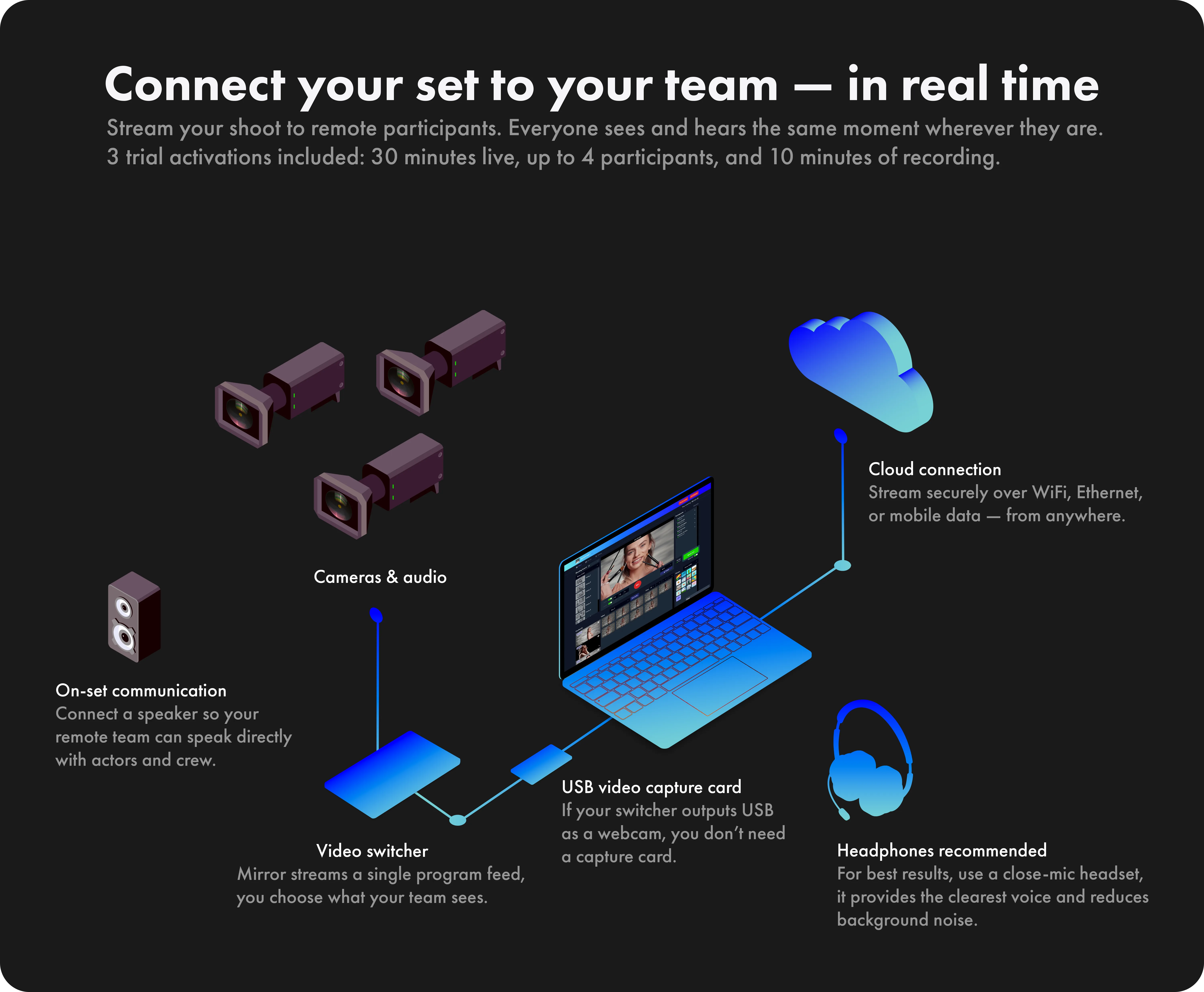
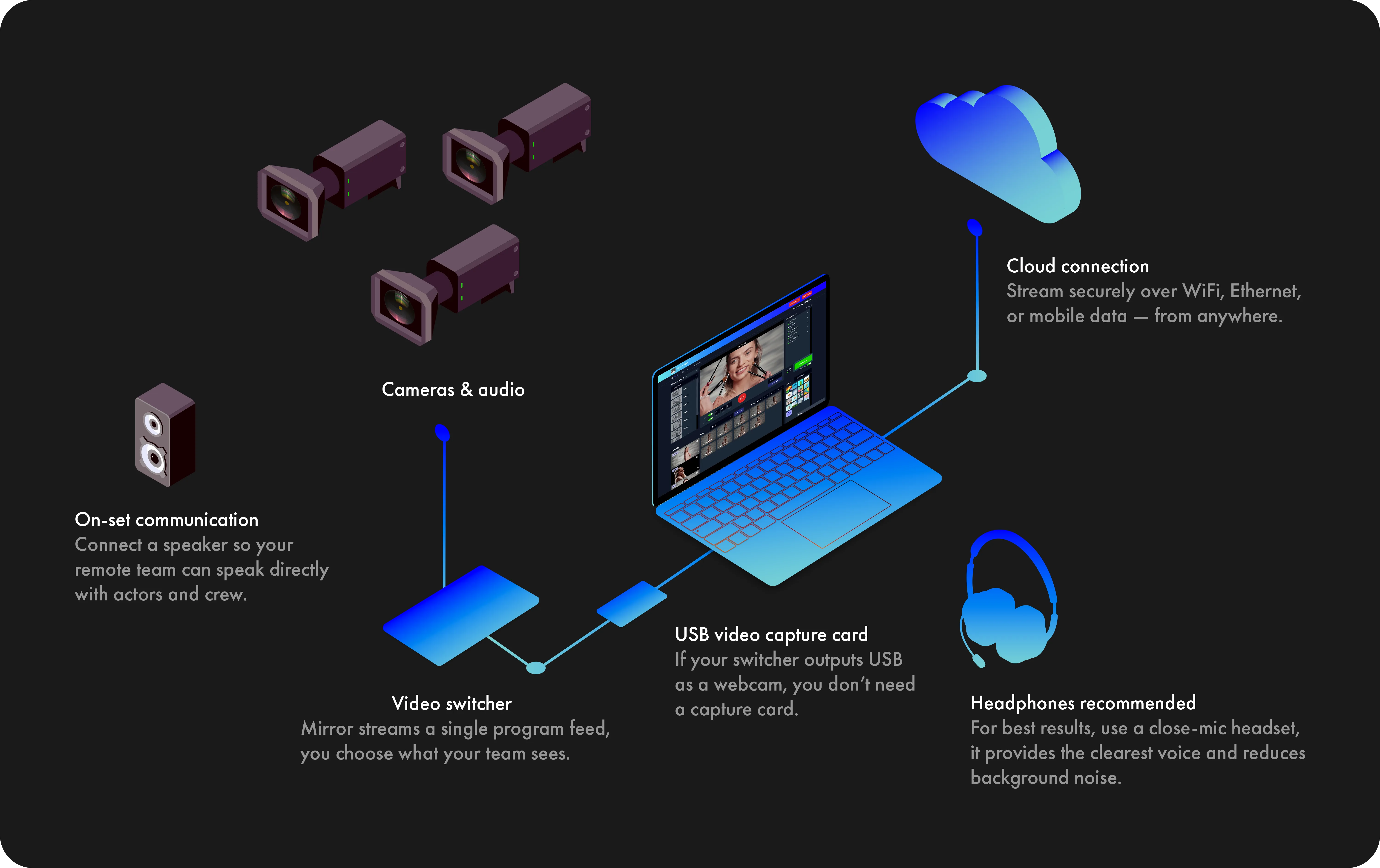
Mirror is compatible with any
external USB video capture card
that supports 1080p or higher
resolutions like:

Elgato Cam Link 4K
Elgato HD60 S
Elgato HD60 X
Magewell
AJA U-Tap

Video switchers with USB output
functioning like a webcam can
connect directly to your computer.

2

You will need:

• A computer
• USB microphone
• Headphones
• Google Chrome browser
• Internet service

3

Find a quiet place at home
with as little echo as possible.

There is no need to worry
about other background noise
as we have the technology
to take care of that.

4

MicTap will email you a link
with instructions on how to
set up the Chrome browser
and connect.

No special software is required.

5

We'll add all parties to the
session, and the client will
be able to supervise as usual.

6

MicTap will be recording
you at broadcast quality.

7

Contact us if you would
like help with your setup.

hello@mictap.com

We use a Push-to-talk button
to keep communication clear
and reduce background noise.

This means your microphone
will only be active when you
hold the button or press the
spacebar.

Use a headset and activate
the "Keep mic open" switch
to speak without using the
Push-to-talk constantly.

2

You will need:

• A computer
• USB microphone
• Headphones
• Google Chrome browser
• Internet service

3

Find a quiet place at home
with as little echo as possible.

There is no need to worry
about other background noise
as we have the technology
to take care of that.

4

MicTap will email you a link
with instructions on how to
set up the Chrome browser
and connect.

No special software is required.

5

We'll add all parties to the
session, and the client will
be able to supervise as usual.

6

MicTap will be recording
you at broadcast quality.

7

Contact us if you would
like help with your setup.

hello@mictap.com

Mirror operates optimally with an
internet upload speed of 8 Mbps.

In the event of limited bandwidth,
you can activate Low Data Mode
to decrease the necessary upload
speed to 4 Mbps.

While this mode reduces streaming
and recording quality, it maintains
sufficient connectivity.

2

You will need:

• A computer
• USB microphone
• Headphones
• Google Chrome browser
• Internet service

3

Find a quiet place at home
with as little echo as possible.

There is no need to worry
about other background noise
as we have the technology
to take care of that.

4

MicTap will email you a link
with instructions on how to
set up the Chrome browser
and connect.

No special software is required.

5

We'll add all parties to the
session, and the client will
be able to supervise as usual.

6

MicTap will be recording
you at broadcast quality.

7

Contact us if you would
like help with your setup.

hello@mictap.com

For $3,600, we will create a
customized music composition
of up to one minute that includes
a full buyout (complete rights ownership).

Our composition can be tailored
to accommodate up to three
different cuts/lengths to perfectly
fit your campaign. If vocals are
needed, contact us for a quote.

2

You will need:

• A computer
• USB microphone
• Headphones
• Google Chrome browser
• Internet service

3

Find a quiet place at home
with as little echo as possible.

There is no need to worry
about other background noise
as we have the technology
to take care of that.

4

MicTap will email you a link
with instructions on how to
set up the Chrome browser
and connect.

No special software is required.

5

We'll add all parties to the
session, and the client will
be able to supervise as usual.

6

MicTap will be recording
you at broadcast quality.

7

Contact us if you would
like help with your setup.

hello@mictap.com

EVA Player
EVA Encoder
The host must use the Chrome browser on Mac or PC.
We recommend use its latest version.

Minimum Mac and PC configurations tested

MacBook Pro
Processor: 2.4 GHz 8-Core Intel Core i9
Memory: 32 GB
Graphics: Intel UHD Graphics 630 1536 MB
macOS 11

HP 15 Laptop PC
Processor: Intel Core i7-1165G7
(up to 4.7 GHz, 12 MB L3 cache, 4 cores)
Memory: 8 GB DDR4-2666 SDRAM (2x4GB)
Graphics: Intel Iris Xe Graphics
Windows 11 Home 64 Plus

Video feeds

Mirror is specifically designed to operate at 1080p
Full HD for real-time streaming, recording, and playback.

While it is possible to feed higher resolutions such as 4K
to your computer, it’s best to avoid doing so. Higher
resolutions create larger files and slower upload times,
though real-time streaming will not be affected.

2

You will need:

• A computer
• USB microphone
• Headphones
• Google Chrome browser
• Internet service

3

Find a quiet place at home
with as little echo as possible.

There is no need to worry
about other background noise
as we have the technology
to take care of that.

4

MicTap will email you a link
with instructions on how to
set up the Chrome browser
and connect.

No special software is required.

5

We'll add all parties to the
session, and the client will
be able to supervise as usual.

6

MicTap will be recording
you at broadcast quality.

7

Contact us if you would
like help with your setup.

hello@mictap.com

iPhone / iPad Limitations

When playing back a take locally, the iPhone
may occasionally lower the volume randomly.

Takes in the Continuity tool, begin playback
from the start of the take rather than the
assigned "Cue."

Participants must tap "Tap to unmute" when
the Host plays back a recorded take.

2

You will need:

• A computer
• USB microphone
• Headphones
• Google Chrome browser
• Internet service

3

Find a quiet place at home
with as little echo as possible.

There is no need to worry
about other background noise
as we have the technology
to take care of that.

4

MicTap will email you a link
with instructions on how to
set up the Chrome browser
and connect.

No special software is required.

5

We'll add all parties to the
session, and the client will
be able to supervise as usual.

6

MicTap will be recording
you at broadcast quality.

7

Contact us if you would
like help with your setup.

hello@mictap.com

Start free trial

2

You will need:

• A computer
• USB microphone
• Headphones
• Google Chrome browser
• Internet service

3

Find a quiet place at home
with as little echo as possible.

There is no need to worry
about other background noise
as we have the technology
to take care of that.

4

MicTap will email you a link
with instructions on how to
set up the Chrome browser
and connect.

No special software is required.

5

We'll add all parties to the
session, and the client will
be able to supervise as usual.

6

MicTap will be recording
you at broadcast quality.

7

Contact us if you would
like help with your setup.

hello@mictap.com

2

You will need:

• A computer
• USB microphone
• Headphones
• Google Chrome browser
• Internet service

3

Find a quiet place at home
with as little echo as possible.

There is no need to worry
about other background noise
as we have the technology
to take care of that.

4

MicTap will email you a link
with instructions on how to
set up the Chrome browser
and connect.

No special software is required.

5

We'll add all parties to the
session, and the client will
be able to supervise as usual.

6

MicTap will be recording
you at broadcast quality.

7

Contact us if you would
like help with your setup.

hello@mictap.com

Activating the App

Mirror offers a pay-as-you-go model with 24-hour
activations for flexible use and cost management.
You have the option to extend any session over
several days if needed. Here's how it works:

Start and continue sessions: Begin your shoot with
a single activation and pick up where you left off on
any day. Simply reactivate to continue.

Participant Continuity: Participants from the original
session can re-enter the ongoing shoot by using the
same invitation or link they received initially.
Plus, you can add new participants at any time.

Setting up sessions and accessing your recordings
doesn't require activation. You only need to activate
a session when you're ready to connect with your
participants.

2

You will need:

• A computer
• USB microphone
• Headphones
• Google Chrome browser
• Internet service

3

Find a quiet place at home
with as little echo as possible.

There is no need to worry
about other background noise
as we have the technology
to take care of that.

4

MicTap will email you a link
with instructions on how to
set up the Chrome browser
and connect.

No special software is required.

5

We'll add all parties to the
session, and the client will
be able to supervise as usual.

6

MicTap will be recording
you at broadcast quality.

7

Contact us if you would
like help with your setup.

hello@mictap.com

Mirror offers Production and Guest roles.
These roles are designed to provide
participants with different levels of access
and interaction during your shoot.

Production Role:

• Real-time streaming.
• Access to all tools.
• Access to all takes as they're recorded.
Private mode for confidential discussions.
On-set talk for real-time coordination with
actors and crew on-set.

Guest Role:

• Real-time streaming.
• Access to all tools.
• Actively engage with the production team.

2

You will need:

• A computer
• USB microphone
• Headphones
• Google Chrome browser
• Internet service

3

Find a quiet place at home
with as little echo as possible.

There is no need to worry
about other background noise
as we have the technology
to take care of that.

4

MicTap will email you a link
with instructions on how to
set up the Chrome browser
and connect.

No special software is required.

5

We'll add all parties to the
session, and the client will
be able to supervise as usual.

6

MicTap will be recording
you at broadcast quality.

7

Contact us if you would
like help with your setup.

hello@mictap.com

2

You will need:

• A computer
• USB microphone
• Headphones
• Google Chrome browser
• Internet service

3

Find a quiet place at home
with as little echo as possible.

There is no need to worry
about other background noise
as we have the technology
to take care of that.

4

MicTap will email you a link
with instructions on how to
set up the Chrome browser
and connect.

No special software is required.

5

We'll add all parties to the
session, and the client will
be able to supervise as usual.

6

MicTap will be recording
you at broadcast quality.

7

Contact us if you would
like help with your setup.

hello@mictap.com

2

You will need:

• A computer
• USB microphone
• Headphones
• Google Chrome browser
• Internet service

3

Find a quiet place at home
with as little echo as possible.

There is no need to worry
about other background noise
as we have the technology
to take care of that.

4

MicTap will email you a link
with instructions on how to
set up the Chrome browser
and connect.

No special software is required.

5

We'll add all parties to the
session, and the client will
be able to supervise as usual.

6

MicTap will be recording
you at broadcast quality.

7

Contact us if you would
like help with your setup.

hello@mictap.com

Real-time streaming is an ultra-low latency,
instantaneous video-audio transmission method.
It enables two-way voice communication for
immediate participant interaction, making it
essential for real-time engagement applications.

On the other hand, Live streaming refers to
broadcasting to an audience as it happens.
While it is intended to be "live," there is a
considerable delay, and voice communication
is one-way, from the broadcaster to the viewer.

2

You will need:

• A computer
• USB microphone
• Headphones
• Google Chrome browser
• Internet service

3

Find a quiet place at home
with as little echo as possible.

There is no need to worry
about other background noise
as we have the technology
to take care of that.

4

MicTap will email you a link
with instructions on how to
set up the Chrome browser
and connect.

No special software is required.

5

We'll add all parties to the
session, and the client will
be able to supervise as usual.

6

MicTap will be recording
you at broadcast quality.

7

Contact us if you would
like help with your setup.

hello@mictap.com

2

You will need:

• A computer
• USB microphone
• Headphones
• Google Chrome browser
• Internet service

3

Find a quiet place at home
with as little echo as possible.

There is no need to worry
about other background noise
as we have the technology
to take care of that.

4

MicTap will email you a link
with instructions on how to
set up the Chrome browser
and connect.

No special software is required.

5

We'll add all parties to the
session, and the client will
be able to supervise as usual.

6

MicTap will be recording
you at broadcast quality.

7

Contact us if you would
like help with your setup.

hello@mictap.com

2

You will need:

• A computer
• USB microphone
• Headphones
• Google Chrome browser
• Internet service

3

Find a quiet place at home
with as little echo as possible.

There is no need to worry
about other background noise
as we have the technology
to take care of that.

4

MicTap will email you a link
with instructions on how to
set up the Chrome browser
and connect.

No special software is required.

5

We'll add all parties to the
session, and the client will
be able to supervise as usual.

6

MicTap will be recording
you at broadcast quality.

7

Contact us if you would
like help with your setup.

hello@mictap.com

Synced playback

Synced playback

Host

Playback

Try it out!

Play or jump in the transport to see it in action

Participants

Playback
Giulia
194.224.234.101
Playback
Jim
194.224.234.121
Playback
Jennifer
194.224.234.121
Playback
Mary
194.204.234.111
Playback
Alejandro
194.224.244.121
Playback
Kevin
194.224.234.122
iOS & Safari Support

iOS devices and the Safari browser are not
supported at this time. We know how important
these platforms are and truly want to support them.

We’ll be closely following Apple updates and
will add iOS and Safari compatibility as soon
as it becomes possible.

2

You will need:

• A computer
• USB microphone
• Headphones
• Google Chrome browser
• Internet service

3

Find a quiet place at home
with as little echo as possible.

There is no need to worry
about other background noise
as we have the technology
to take care of that.

4

MicTap will email you a link
with instructions on how to
set up the Chrome browser
and connect.

No special software is required.

5

We'll add all parties to the
session, and the client will
be able to supervise as usual.

6

MicTap will be recording
you at broadcast quality.

7

Contact us if you would
like help with your setup.

hello@mictap.com

MicTap Self-Tape

We envision this app as a new way for actors to record auditions:
Simple and collaborative.

Connect your camera to your computer and invite up to four people
into your session. Each guest joins with a clear role:

Reader – reads the lines in real time, with their voice recorded
alongside yours. Participant – a coach, agent, or friend, able to
watch, guide, and give feedback as you perform.

The actor stays in front of the camera, sharing the video instantly
with everyone connected. Readers’ voices blend seamlessly with
the actor’s performance, so each take feels natural and complete.

Built-in tools will let you:

• Balance audio levels between readers and actor.
• Review and edit your video takes.
• Send your finished audition directly to the designated email.

MicTap Self-Tape is coming soon—an audition experience
designed for today’s talent.

2

You will need:

• A computer
• USB microphone
• Headphones
• Google Chrome browser
• Internet service

3

Find a quiet place at home
with as little echo as possible.

There is no need to worry
about other background noise
as we have the technology
to take care of that.

4

MicTap will email you a link
with instructions on how to
set up the Chrome browser
and connect.

No special software is required.

5

We'll add all parties to the
session, and the client will
be able to supervise as usual.

6

MicTap will be recording
you at broadcast quality.

7

Contact us if you would
like help with your setup.

hello@mictap.com

Microphones:
Neumann U87 or TLM 103
and Sennheiser MK416

Interface:
SSL 2 MKII

Headphones:
AKG K72

2

You will need:

• A computer
• USB microphone
• Headphones
• Google Chrome browser
• Internet service

3

Find a quiet place at home
with as little echo as possible.

There is no need to worry
about other background noise
as we have the technology
to take care of that.

4

MicTap will email you a link
with instructions on how to
set up the Chrome browser
and connect.

No special software is required.

5

We'll add all parties to the
session, and the client will
be able to supervise as usual.

6

MicTap will be recording
you at broadcast quality.

7

Contact us if you would
like help with your setup.

hello@mictap.com

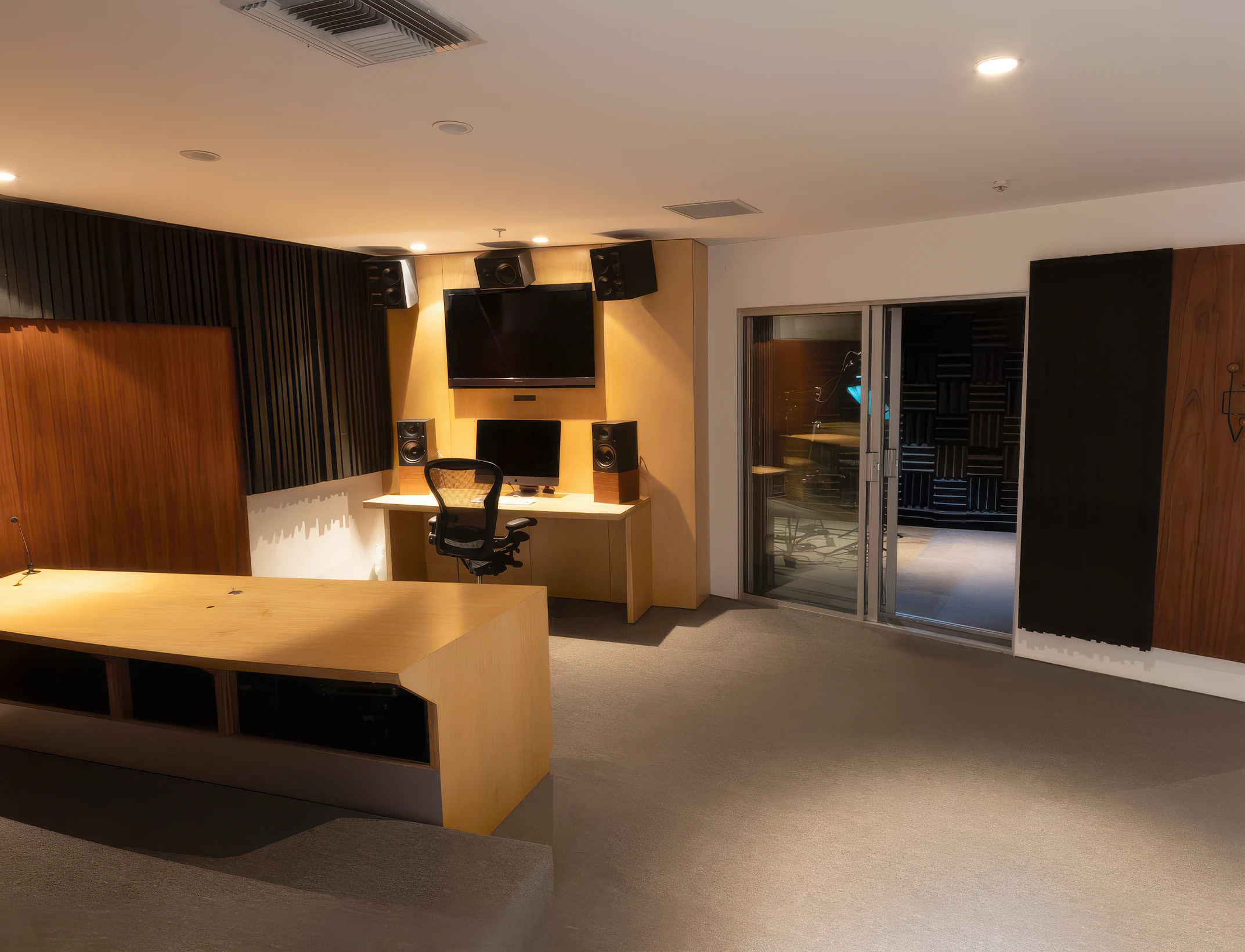
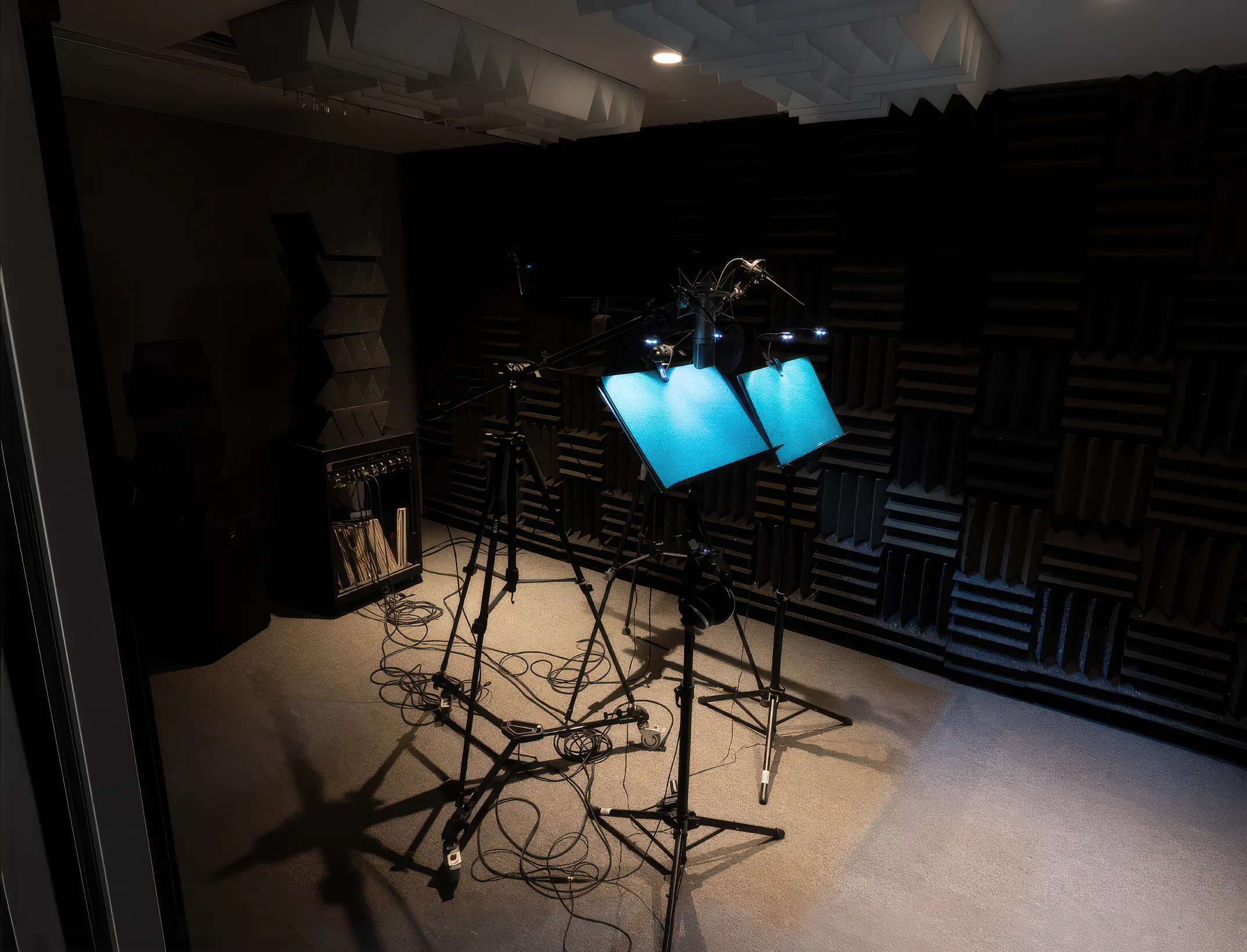
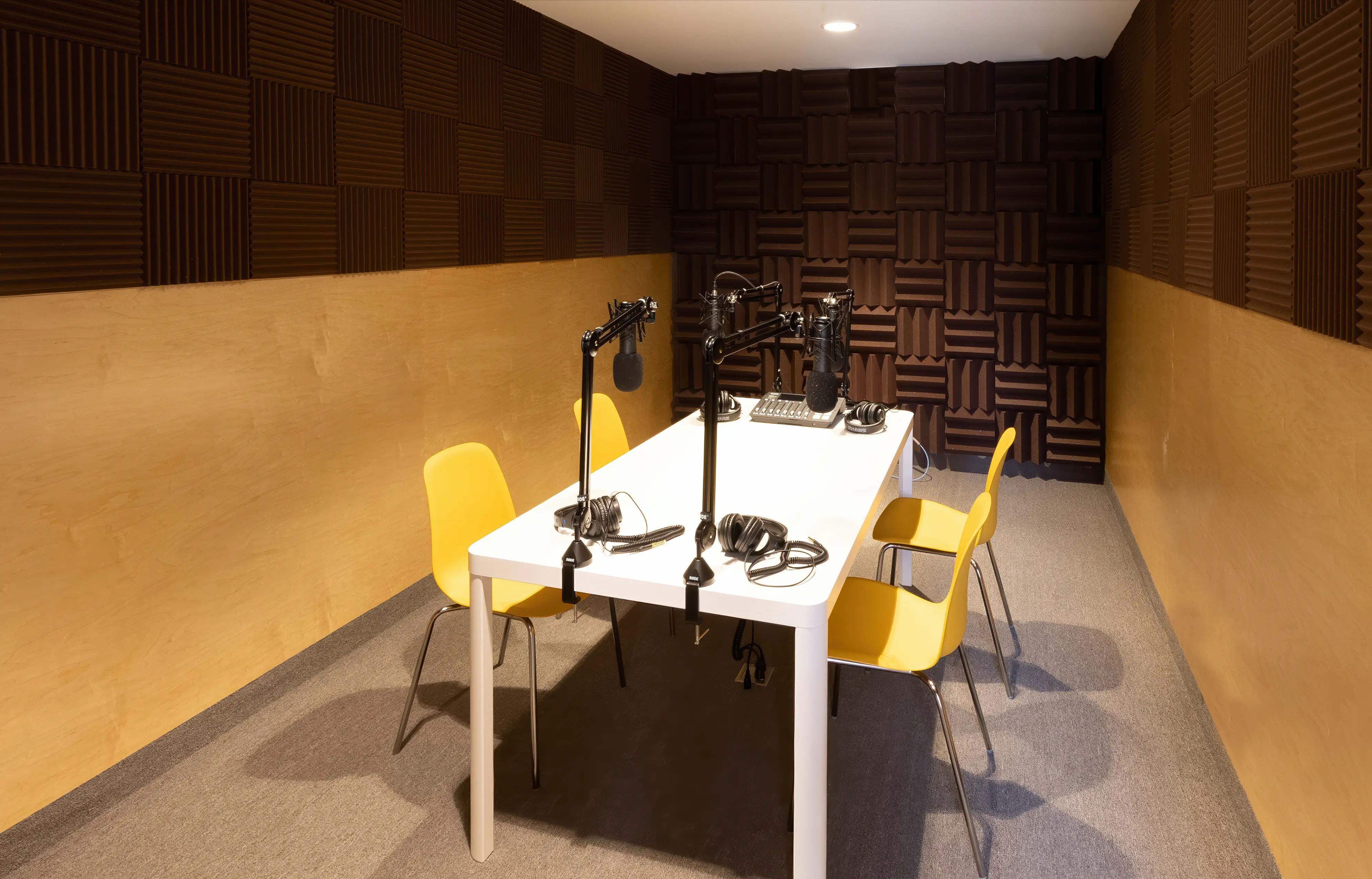
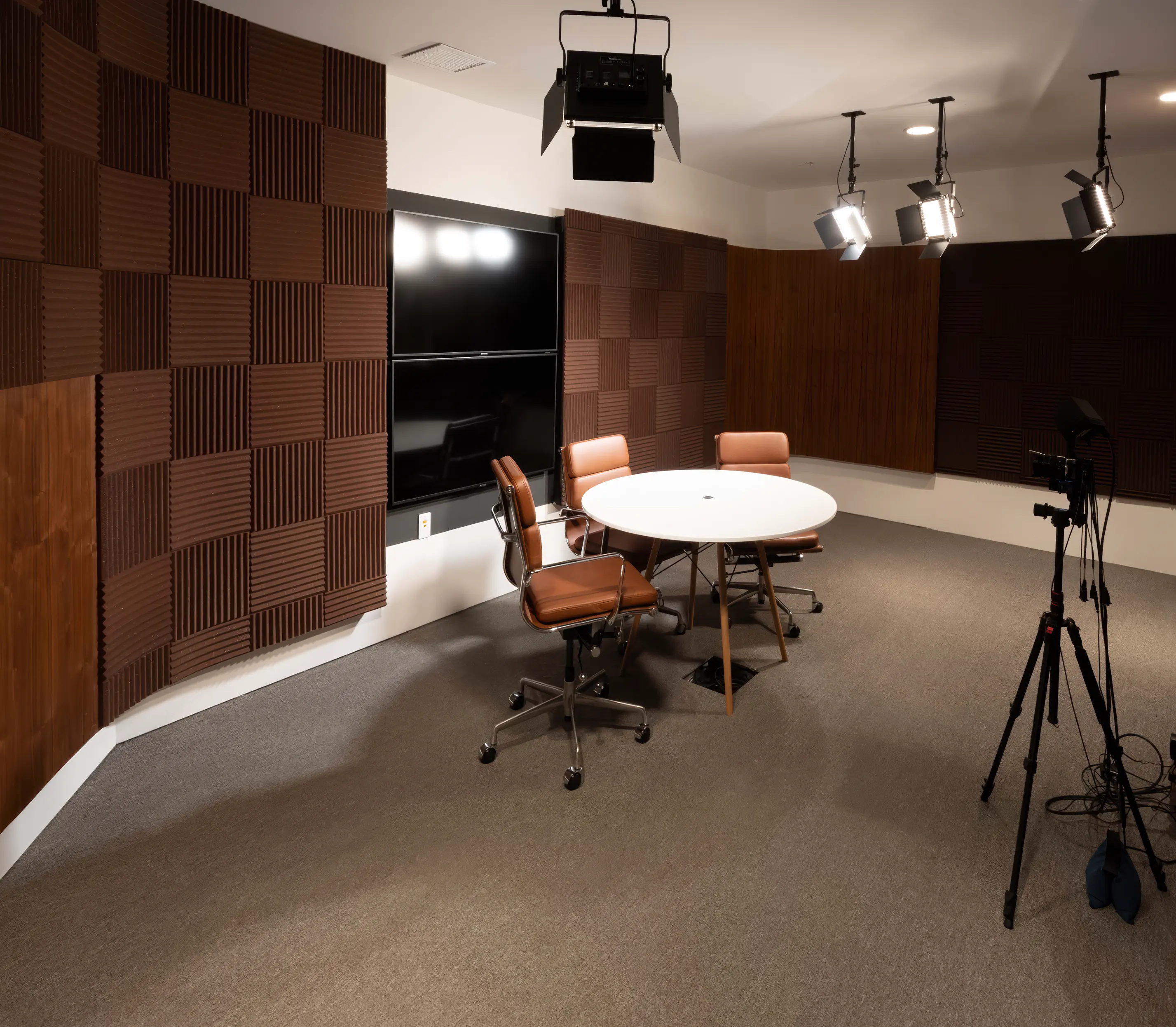
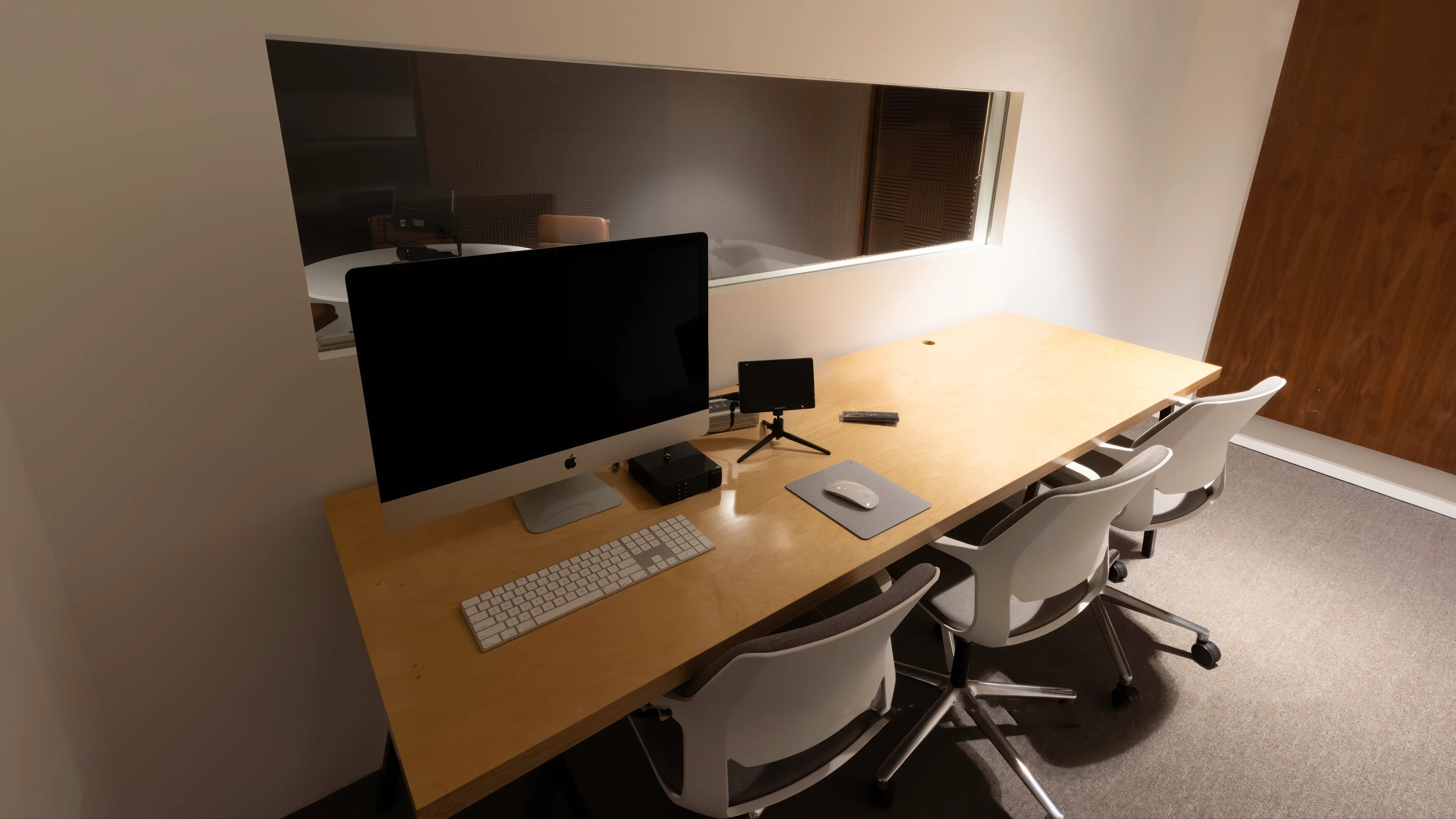
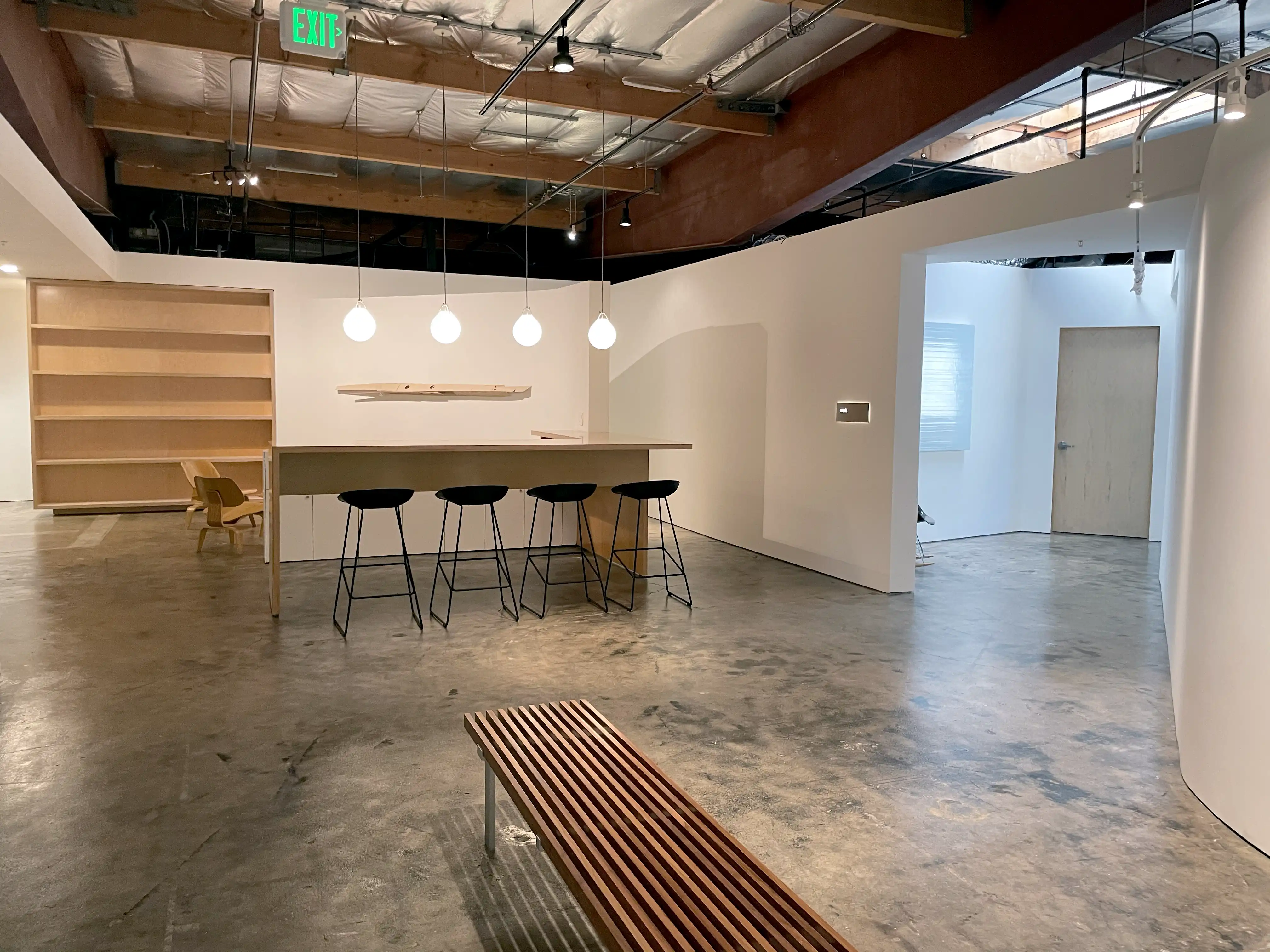
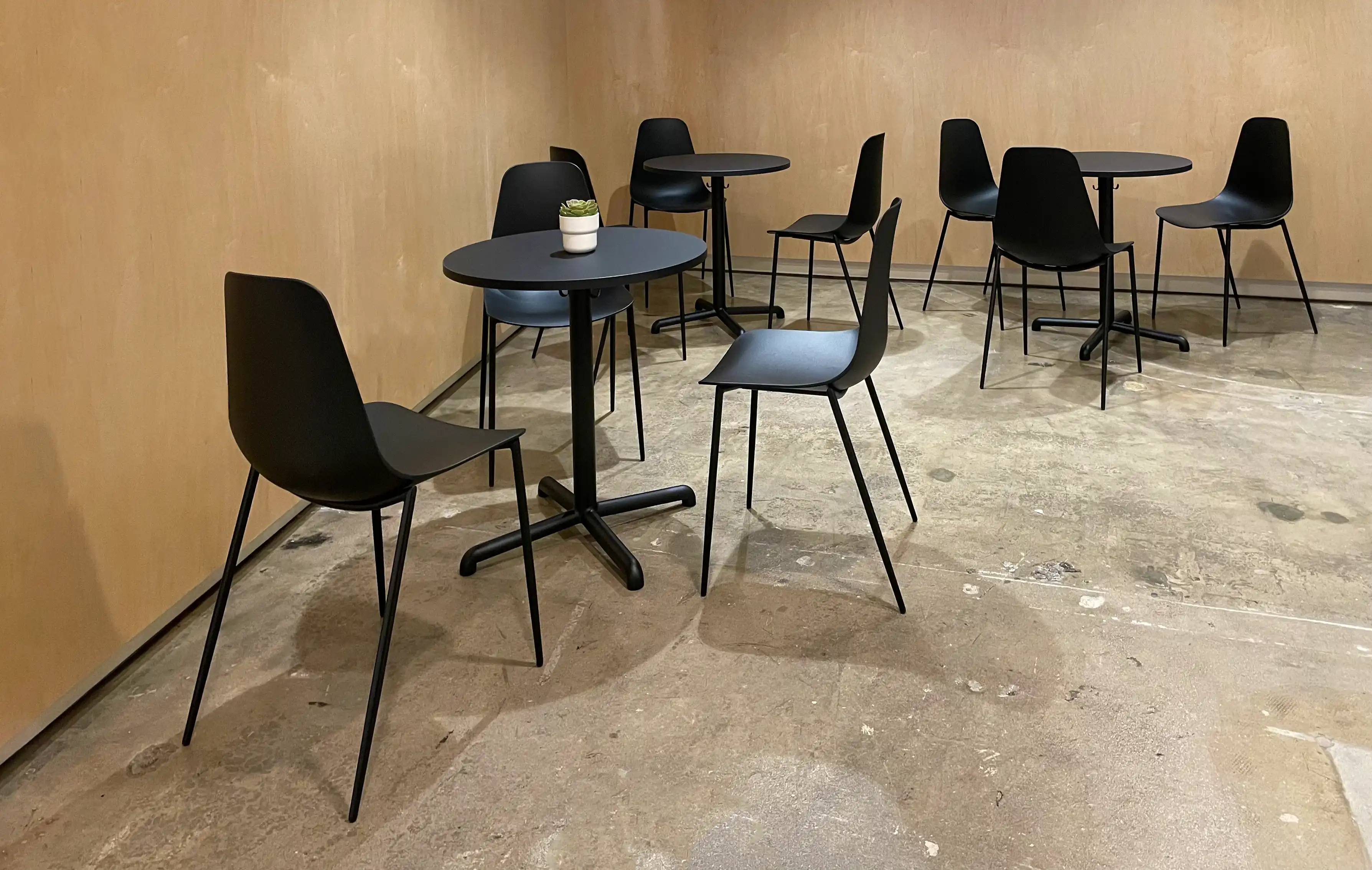
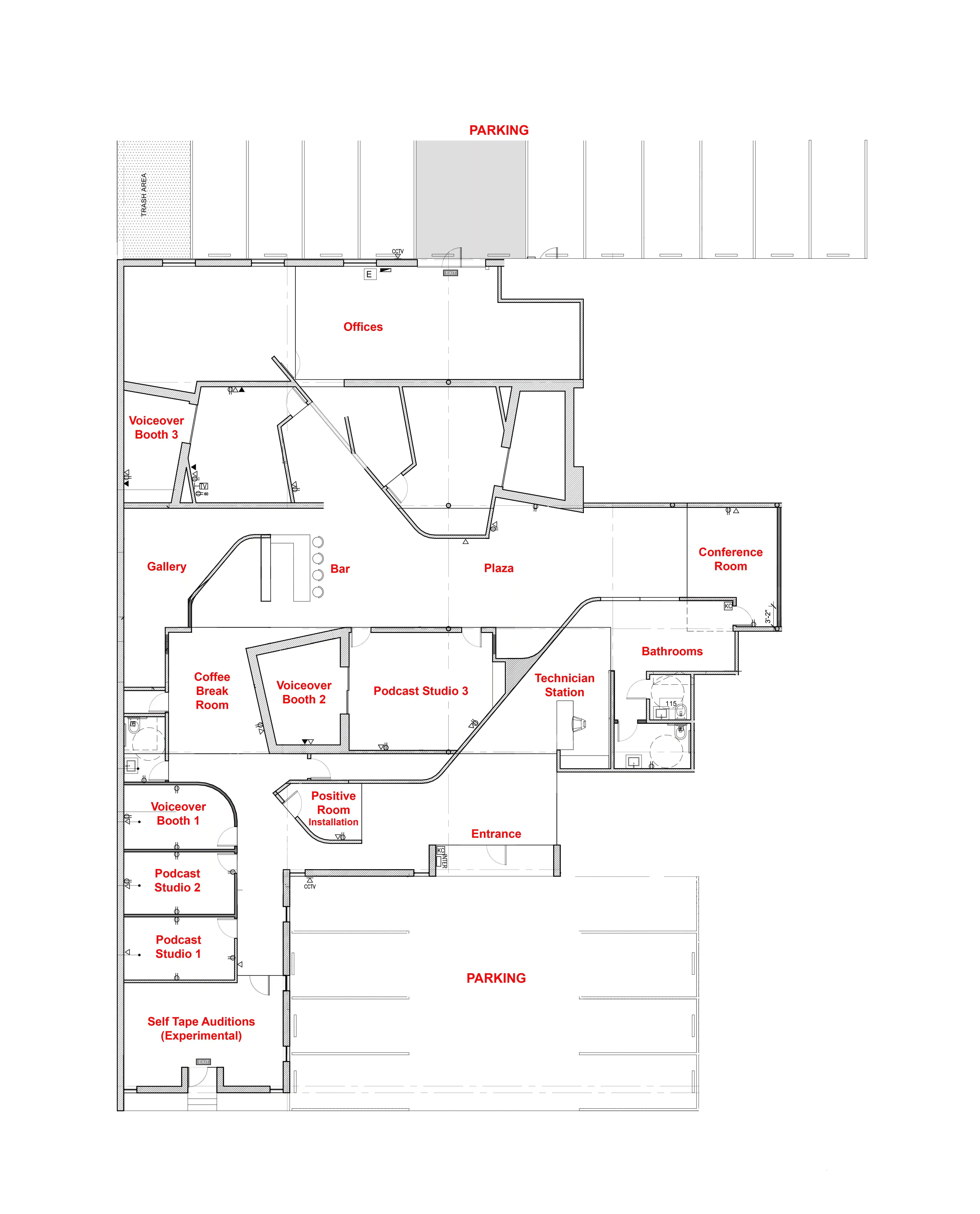
Podcast Studio 1 — The Table
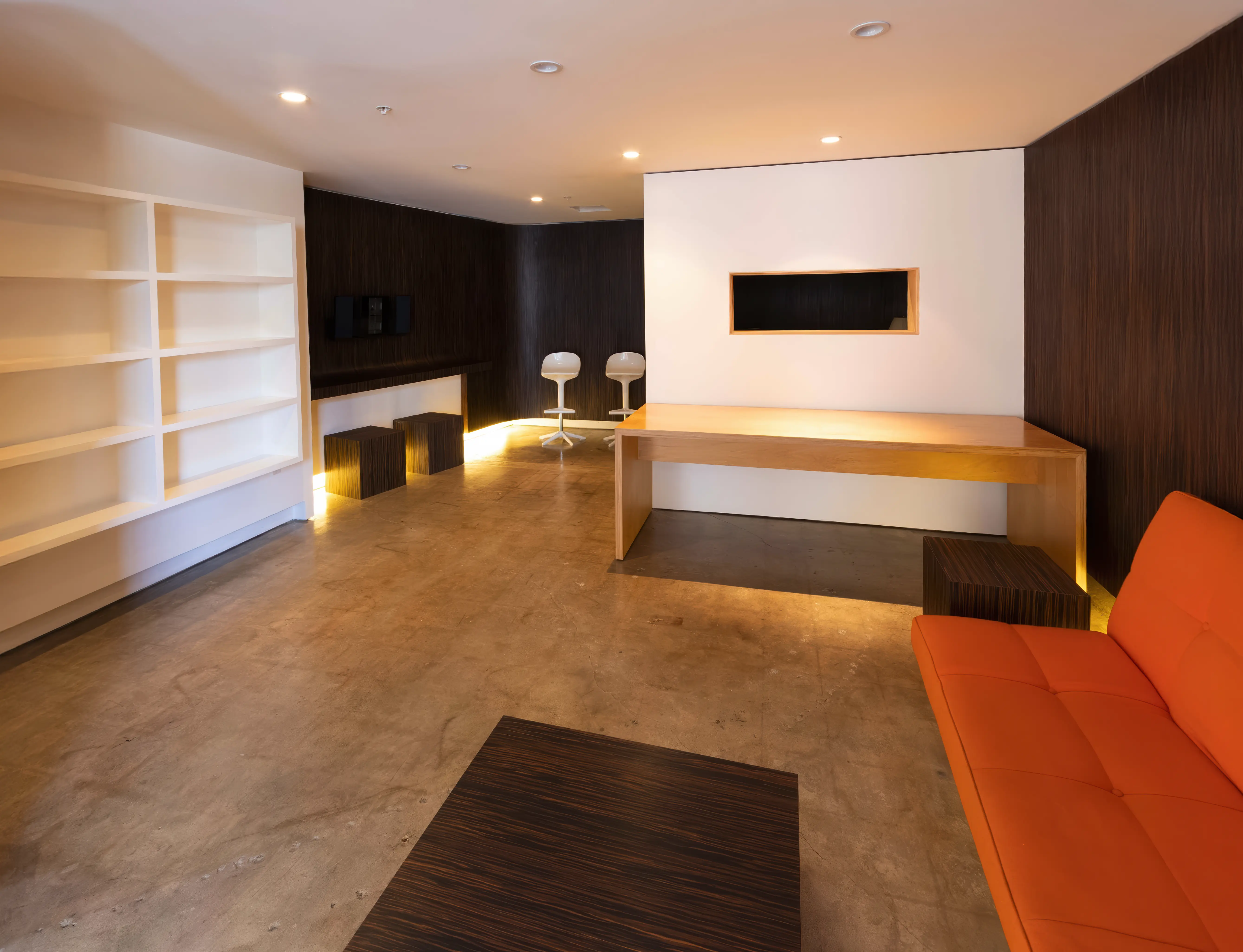
Podcast Studio 2 — The Lounge
Podcast Studio 3 — The Set
Can I reschedule my bookings?
Yes! As many times as you like! Your booked session never expires as long
as you reschedule at least two hours in advance.

What happens if I run over my booked time?
If your session runs over and our schedule permits, you can simply keep
recording. Overtime is billed in 15-minute increments and charged
automatically to the card you used when booking. It’s seamless—no
interruptions and no extra steps on your end.

What's is your refund policy?
You can cancel your purchase for a full refund with at least two hours’ notice
before your booked time. Call us at (310) 581-2481 or email us here

2

You will need:

• A computer
• USB microphone
• Headphones
• Google Chrome browser
• Internet service

3

Find a quiet place at home
with as little echo as possible.

There is no need to worry
about other background noise
as we have the technology
to take care of that.

4

MicTap will email you a link
with instructions on how to
set up the Chrome browser
and connect.

No special software is required.

5

We'll add all parties to the
session, and the client will
be able to supervise as usual.

6

MicTap will be recording
you at broadcast quality.

7

Contact us if you would
like help with your setup.

hello@mictap.com