Opening January 2026 in Santa Monica   Keep me posted


Terms and Conditions


Please read these Terms of Use (“Terms”, “Terms of Use”) carefully before using the MicTap apps (the “Service”) operated by MicTap (“us”, “we”, or “our”).

Your access to and use of the Service is conditioned on your acceptance of and compliance with these Terms. These Terms apply to all visitors, users, and others who access or use the Service.

By accessing or using the Service you agree to be bound by these Terms. If you disagree with any part of the terms then you may not access the Service.


Accounts

When you create an account with us, you must provide us with information that is accurate, complete, and current at all times. Failure to do so constitutes a breach of the Terms, which may result in immediate termination of your account on our Service.

You are responsible for safeguarding the password that you use to access the Service and for any activities or actions under your password, whether your password is with our Service or a third-party service.

You agree not to disclose your password to any third party. You must notify us immediately upon becoming aware of any breach of security or unauthorized use of your account.


Intellectual property

The Service and its original content, features, and functionality are and will remain the exclusive property of MicTap and its licensors.


Links to other web sites

Our Service may contain links to third-party websites or services that are not owned or controlled by MicTap.

MicTap has no control over and assumes no responsibility for, the content, privacy policies, or practices of any third-party websites or services. You further acknowledge and agree that MicTap shall not be responsible or liable, directly or indirectly, for any damage or loss caused or alleged to be caused by or in connection with the use of or reliance on any such content, goods, or services available on or through any such web sites or services.

We strongly advise you to read the terms and conditions and privacy policies of any third-party websites or services that you visit.


Termination

We may terminate or suspend access to our Service immediately, without prior notice or liability, for any reason whatsoever, including without limitation if you breach the Terms.

All provisions of the Terms which by their nature should survive termination shall survive termination, including, without limitation, ownership provisions, warranty disclaimers, indemnity, and limitations of liability.

We may terminate or suspend your account immediately, without prior notice or liability, for any reason whatsoever, including without limitation if you breach the Terms.

Upon termination, your right to use the Service will immediately cease. If you wish to terminate your account, you may simply discontinue using the Service.

All provisions of the Terms which by their nature should survive termination shall survive termination, including, without limitation, ownership provisions, warranty disclaimers, indemnity, and limitations of liability.


Disclaimer

Your use of the Service is at your sole risk. The Service is provided on an “AS IS” and “AS AVAILABLE” basis. The Service is provided without warranties of any kind, whether express or implied, including, but not limited to, implied warranties of merchantability, fitness for a particular purpose, non-infringement, or course of performance.


Governing law

These Terms shall be governed and construed in accordance with the laws of the United States without regard to its conflict of law provisions.

Our failure to enforce any right or provision of these Terms will not be considered a waiver of those rights. If any provision of these Terms is held to be invalid or unenforceable by a court, the remaining provisions of these Terms will remain in effect. These Terms constitute the entire agreement between us regarding our Service, and supersede and replace any prior agreements we might have between us regarding the Service.


Changes

We reserve the right, at our sole discretion, to modify or replace these Terms at any time. If a revision is material we will try to provide at least 30 days’ notice prior to any new terms taking effect. What constitutes a material change will be determined at our sole discretion.

By continuing to access or use our Service after those revisions become effective, you agree to be bound by the revised terms. If you do not agree to the new terms, please stop using the Service.


Contact Us

If you have any questions about this Terms, please contact us.

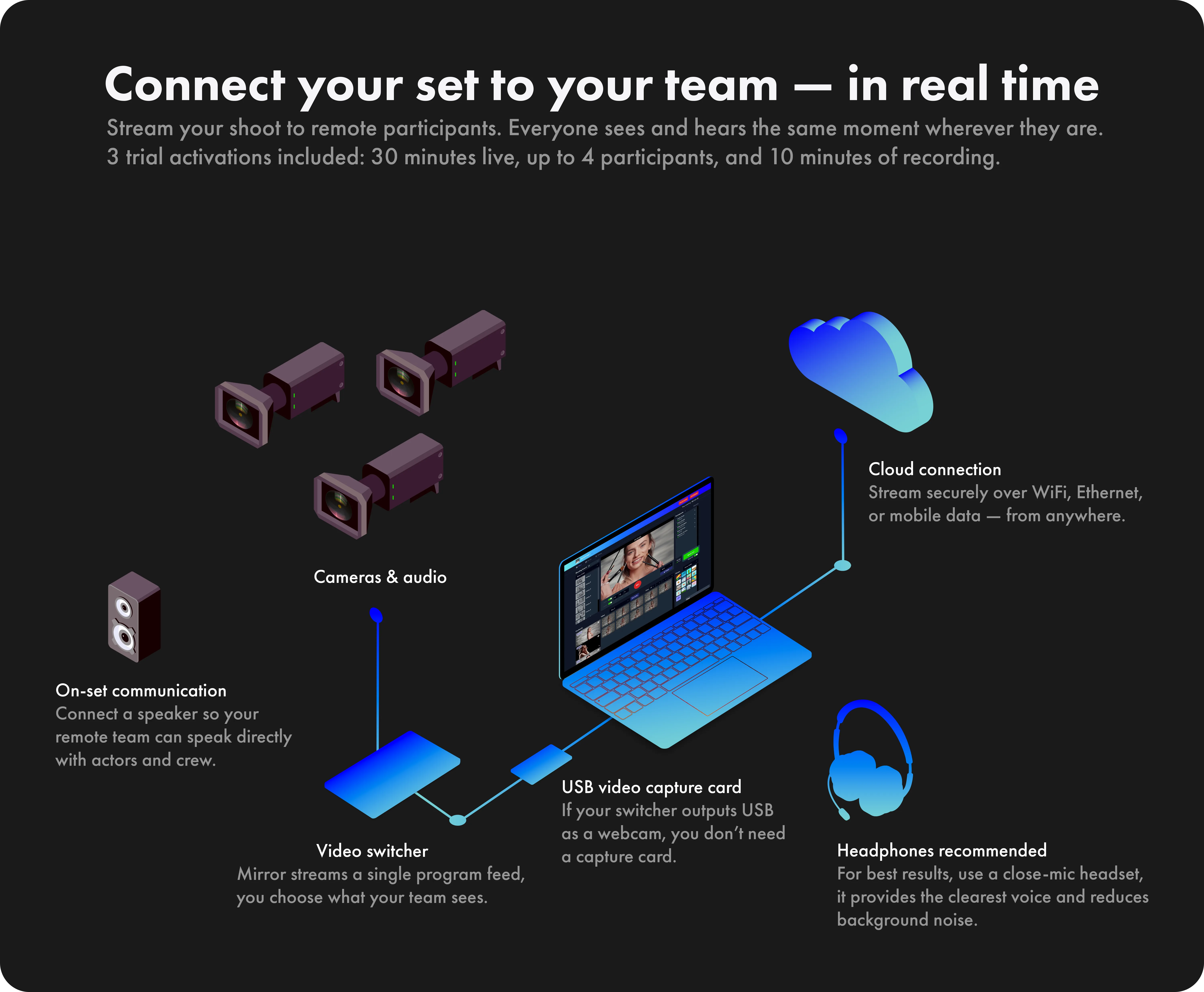
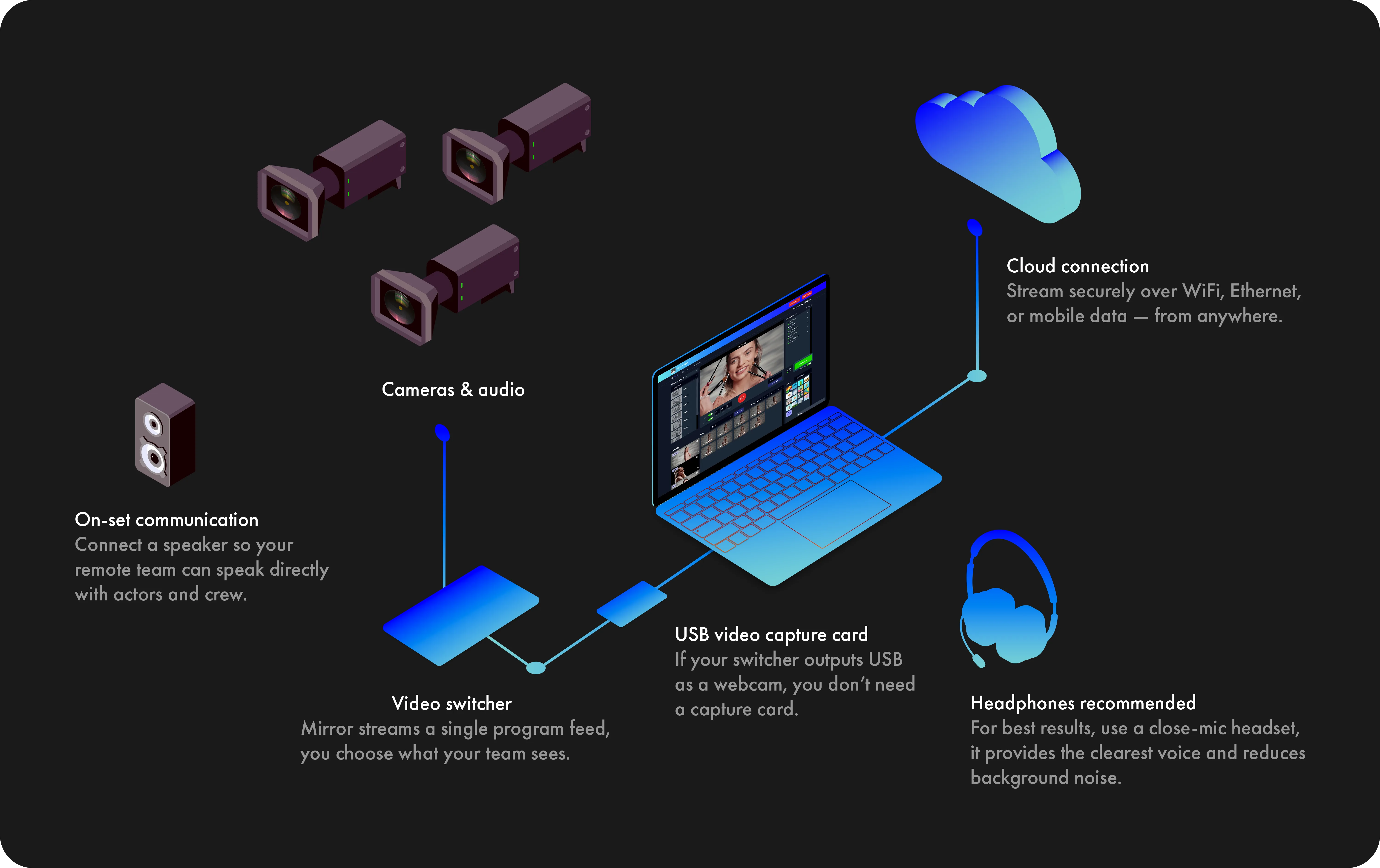
Mirror is compatible with any
external USB video capture card
that supports 1080p or higher
resolutions like:

Elgato Cam Link 4K
Elgato HD60 S
Elgato HD60 X
Magewell
AJA U-Tap

Video switchers with USB output
functioning like a webcam can
connect directly to your computer.

2

You will need:

• A computer
• USB microphone
• Headphones
• Google Chrome browser
• Internet service

3

Find a quiet place at home
with as little echo as possible.

There is no need to worry
about other background noise
as we have the technology
to take care of that.

4

MicTap will email you a link
with instructions on how to
set up the Chrome browser
and connect.

No special software is required.

5

We'll add all parties to the
session, and the client will
be able to supervise as usual.

6

MicTap will be recording
you at broadcast quality.

7

Contact us if you would
like help with your setup.

hello@mictap.com

We use a Push-to-talk button
to keep communication clear
and reduce background noise.

This means your microphone
will only be active when you
hold the button or press the
spacebar.

Use a headset and activate
the "Keep mic open" switch
to speak without using the
Push-to-talk constantly.

2

You will need:

• A computer
• USB microphone
• Headphones
• Google Chrome browser
• Internet service

3

Find a quiet place at home
with as little echo as possible.

There is no need to worry
about other background noise
as we have the technology
to take care of that.

4

MicTap will email you a link
with instructions on how to
set up the Chrome browser
and connect.

No special software is required.

5

We'll add all parties to the
session, and the client will
be able to supervise as usual.

6

MicTap will be recording
you at broadcast quality.

7

Contact us if you would
like help with your setup.

hello@mictap.com

Mirror operates optimally with an
internet upload speed of 8 Mbps.

In the event of limited bandwidth,
you can activate Low Data Mode
to decrease the necessary upload
speed to 4 Mbps.

While this mode reduces streaming
and recording quality, it maintains
sufficient connectivity.

2

You will need:

• A computer
• USB microphone
• Headphones
• Google Chrome browser
• Internet service

3

Find a quiet place at home
with as little echo as possible.

There is no need to worry
about other background noise
as we have the technology
to take care of that.

4

MicTap will email you a link
with instructions on how to
set up the Chrome browser
and connect.

No special software is required.

5

We'll add all parties to the
session, and the client will
be able to supervise as usual.

6

MicTap will be recording
you at broadcast quality.

7

Contact us if you would
like help with your setup.

hello@mictap.com

For $3,600, we will create a
customized music composition
of up to one minute that includes
a full buyout (complete rights ownership).

Our composition can be tailored
to accommodate up to three
different cuts/lengths to perfectly
fit your campaign. If vocals are
needed, contact us for a quote.

2

You will need:

• A computer
• USB microphone
• Headphones
• Google Chrome browser
• Internet service

3

Find a quiet place at home
with as little echo as possible.

There is no need to worry
about other background noise
as we have the technology
to take care of that.

4

MicTap will email you a link
with instructions on how to
set up the Chrome browser
and connect.

No special software is required.

5

We'll add all parties to the
session, and the client will
be able to supervise as usual.

6

MicTap will be recording
you at broadcast quality.

7

Contact us if you would
like help with your setup.

hello@mictap.com

EVA Player
EVA Encoder
The host must use the Chrome browser on Mac or PC.
We recommend use its latest version.

Minimum Mac and PC configurations tested

MacBook Pro
Processor: 2.4 GHz 8-Core Intel Core i9
Memory: 32 GB
Graphics: Intel UHD Graphics 630 1536 MB
macOS 11

HP 15 Laptop PC
Processor: Intel Core i7-1165G7
(up to 4.7 GHz, 12 MB L3 cache, 4 cores)
Memory: 8 GB DDR4-2666 SDRAM (2x4GB)
Graphics: Intel Iris Xe Graphics
Windows 11 Home 64 Plus

Video feeds

Mirror is specifically designed to operate at 1080p
Full HD for real-time streaming, recording, and playback.

While it is possible to feed higher resolutions such as 4K
to your computer, it’s best to avoid doing so. Higher
resolutions create larger files and slower upload times,
though real-time streaming will not be affected.

2

You will need:

• A computer
• USB microphone
• Headphones
• Google Chrome browser
• Internet service

3

Find a quiet place at home
with as little echo as possible.

There is no need to worry
about other background noise
as we have the technology
to take care of that.

4

MicTap will email you a link
with instructions on how to
set up the Chrome browser
and connect.

No special software is required.

5

We'll add all parties to the
session, and the client will
be able to supervise as usual.

6

MicTap will be recording
you at broadcast quality.

7

Contact us if you would
like help with your setup.

hello@mictap.com

iPhone / iPad Limitations

When playing back a take locally, the iPhone
may occasionally lower the volume randomly.

Takes in the Continuity tool, begin playback
from the start of the take rather than the
assigned "Cue."

Participants must tap "Tap to unmute" when
the Host plays back a recorded take.

2

You will need:

• A computer
• USB microphone
• Headphones
• Google Chrome browser
• Internet service

3

Find a quiet place at home
with as little echo as possible.

There is no need to worry
about other background noise
as we have the technology
to take care of that.

4

MicTap will email you a link
with instructions on how to
set up the Chrome browser
and connect.

No special software is required.

5

We'll add all parties to the
session, and the client will
be able to supervise as usual.

6

MicTap will be recording
you at broadcast quality.

7

Contact us if you would
like help with your setup.

hello@mictap.com

Start free trial

2

You will need:

• A computer
• USB microphone
• Headphones
• Google Chrome browser
• Internet service

3

Find a quiet place at home
with as little echo as possible.

There is no need to worry
about other background noise
as we have the technology
to take care of that.

4

MicTap will email you a link
with instructions on how to
set up the Chrome browser
and connect.

No special software is required.

5

We'll add all parties to the
session, and the client will
be able to supervise as usual.

6

MicTap will be recording
you at broadcast quality.

7

Contact us if you would
like help with your setup.

hello@mictap.com

2

You will need:

• A computer
• USB microphone
• Headphones
• Google Chrome browser
• Internet service

3

Find a quiet place at home
with as little echo as possible.

There is no need to worry
about other background noise
as we have the technology
to take care of that.

4

MicTap will email you a link
with instructions on how to
set up the Chrome browser
and connect.

No special software is required.

5

We'll add all parties to the
session, and the client will
be able to supervise as usual.

6

MicTap will be recording
you at broadcast quality.

7

Contact us if you would
like help with your setup.

hello@mictap.com

Activating the App

Mirror offers a pay-as-you-go model with 24-hour
activations for flexible use and cost management.
You have the option to extend any session over
several days if needed. Here's how it works:

Start and continue sessions: Begin your shoot with
a single activation and pick up where you left off on
any day. Simply reactivate to continue.

Participant Continuity: Participants from the original
session can re-enter the ongoing shoot by using the
same invitation or link they received initially.
Plus, you can add new participants at any time.

Setting up sessions and accessing your recordings
doesn't require activation. You only need to activate
a session when you're ready to connect with your
participants.

2

You will need:

• A computer
• USB microphone
• Headphones
• Google Chrome browser
• Internet service

3

Find a quiet place at home
with as little echo as possible.

There is no need to worry
about other background noise
as we have the technology
to take care of that.

4

MicTap will email you a link
with instructions on how to
set up the Chrome browser
and connect.

No special software is required.

5

We'll add all parties to the
session, and the client will
be able to supervise as usual.

6

MicTap will be recording
you at broadcast quality.

7

Contact us if you would
like help with your setup.

hello@mictap.com

Mirror offers Production and Guest roles.
These roles are designed to provide
participants with different levels of access
and interaction during your shoot.

Production Role:

• Real-time streaming.
• Access to all tools.
• Access to all takes as they're recorded.
Private mode for confidential discussions.
On-set talk for real-time coordination with
actors and crew on-set.

Guest Role:

• Real-time streaming.
• Access to all tools.
• Actively engage with the production team.

2

You will need:

• A computer
• USB microphone
• Headphones
• Google Chrome browser
• Internet service

3

Find a quiet place at home
with as little echo as possible.

There is no need to worry
about other background noise
as we have the technology
to take care of that.

4

MicTap will email you a link
with instructions on how to
set up the Chrome browser
and connect.

No special software is required.

5

We'll add all parties to the
session, and the client will
be able to supervise as usual.

6

MicTap will be recording
you at broadcast quality.

7

Contact us if you would
like help with your setup.

hello@mictap.com

2

You will need:

• A computer
• USB microphone
• Headphones
• Google Chrome browser
• Internet service

3

Find a quiet place at home
with as little echo as possible.

There is no need to worry
about other background noise
as we have the technology
to take care of that.

4

MicTap will email you a link
with instructions on how to
set up the Chrome browser
and connect.

No special software is required.

5

We'll add all parties to the
session, and the client will
be able to supervise as usual.

6

MicTap will be recording
you at broadcast quality.

7

Contact us if you would
like help with your setup.

hello@mictap.com

2

You will need:

• A computer
• USB microphone
• Headphones
• Google Chrome browser
• Internet service

3

Find a quiet place at home
with as little echo as possible.

There is no need to worry
about other background noise
as we have the technology
to take care of that.

4

MicTap will email you a link
with instructions on how to
set up the Chrome browser
and connect.

No special software is required.

5

We'll add all parties to the
session, and the client will
be able to supervise as usual.

6

MicTap will be recording
you at broadcast quality.

7

Contact us if you would
like help with your setup.

hello@mictap.com

Real-time streaming is an ultra-low latency,
instantaneous video-audio transmission method.
It enables two-way voice communication for
immediate participant interaction, making it
essential for real-time engagement applications.

On the other hand, Live streaming refers to
broadcasting to an audience as it happens.
While it is intended to be "live," there is a
considerable delay, and voice communication
is one-way, from the broadcaster to the viewer.

2

You will need:

• A computer
• USB microphone
• Headphones
• Google Chrome browser
• Internet service

3

Find a quiet place at home
with as little echo as possible.

There is no need to worry
about other background noise
as we have the technology
to take care of that.

4

MicTap will email you a link
with instructions on how to
set up the Chrome browser
and connect.

No special software is required.

5

We'll add all parties to the
session, and the client will
be able to supervise as usual.

6

MicTap will be recording
you at broadcast quality.

7

Contact us if you would
like help with your setup.

hello@mictap.com

2

You will need:

• A computer
• USB microphone
• Headphones
• Google Chrome browser
• Internet service

3

Find a quiet place at home
with as little echo as possible.

There is no need to worry
about other background noise
as we have the technology
to take care of that.

4

MicTap will email you a link
with instructions on how to
set up the Chrome browser
and connect.

No special software is required.

5

We'll add all parties to the
session, and the client will
be able to supervise as usual.

6

MicTap will be recording
you at broadcast quality.

7

Contact us if you would
like help with your setup.

hello@mictap.com

2

You will need:

• A computer
• USB microphone
• Headphones
• Google Chrome browser
• Internet service

3

Find a quiet place at home
with as little echo as possible.

There is no need to worry
about other background noise
as we have the technology
to take care of that.

4

MicTap will email you a link
with instructions on how to
set up the Chrome browser
and connect.

No special software is required.

5

We'll add all parties to the
session, and the client will
be able to supervise as usual.

6

MicTap will be recording
you at broadcast quality.

7

Contact us if you would
like help with your setup.

hello@mictap.com

Synced playback

Synced playback

Host

Playback

Try it out!

Play or jump in the transport to see it in action

Participants

Playback
Giulia
194.224.234.101
Playback
Jim
194.224.234.121
Playback
Jennifer
194.224.234.121
Playback
Mary
194.204.234.111
Playback
Alejandro
194.224.244.121
Playback
Kevin
194.224.234.122
iOS & Safari Support

iOS devices and the Safari browser are not
supported at this time. We know how important
these platforms are and truly want to support them.

We’ll be closely following Apple updates and
will add iOS and Safari compatibility as soon
as it becomes possible.

2

You will need:

• A computer
• USB microphone
• Headphones
• Google Chrome browser
• Internet service

3

Find a quiet place at home
with as little echo as possible.

There is no need to worry
about other background noise
as we have the technology
to take care of that.

4

MicTap will email you a link
with instructions on how to
set up the Chrome browser
and connect.

No special software is required.

5

We'll add all parties to the
session, and the client will
be able to supervise as usual.

6

MicTap will be recording
you at broadcast quality.

7

Contact us if you would
like help with your setup.

hello@mictap.com

MicTap Self-Tape

We envision this app as a new way for actors to record auditions:
Simple and collaborative.

Connect your camera to your computer and invite up to four people
into your session. Each guest joins with a clear role:

Reader – reads the lines in real time, with their voice recorded
alongside yours. Participant – a coach, agent, or friend, able to
watch, guide, and give feedback as you perform.

The actor stays in front of the camera, sharing the video instantly
with everyone connected. Readers’ voices blend seamlessly with
the actor’s performance, so each take feels natural and complete.

Built-in tools will let you:

• Balance audio levels between readers and actor.
• Review and edit your video takes.
• Send your finished audition directly to the designated email.

MicTap Self-Tape is coming soon—an audition experience
designed for today’s talent.

2

You will need:

• A computer
• USB microphone
• Headphones
• Google Chrome browser
• Internet service

3

Find a quiet place at home
with as little echo as possible.

There is no need to worry
about other background noise
as we have the technology
to take care of that.

4

MicTap will email you a link
with instructions on how to
set up the Chrome browser
and connect.

No special software is required.

5

We'll add all parties to the
session, and the client will
be able to supervise as usual.

6

MicTap will be recording
you at broadcast quality.

7

Contact us if you would
like help with your setup.

hello@mictap.com

Microphones:
Neumann U87 or TLM 103
and Sennheiser MK416

Interface:
SSL 2 MKII

Headphones:
AKG K72

2

You will need:

• A computer
• USB microphone
• Headphones
• Google Chrome browser
• Internet service

3

Find a quiet place at home
with as little echo as possible.

There is no need to worry
about other background noise
as we have the technology
to take care of that.

4

MicTap will email you a link
with instructions on how to
set up the Chrome browser
and connect.

No special software is required.

5

We'll add all parties to the
session, and the client will
be able to supervise as usual.

6

MicTap will be recording
you at broadcast quality.

7

Contact us if you would
like help with your setup.

hello@mictap.com

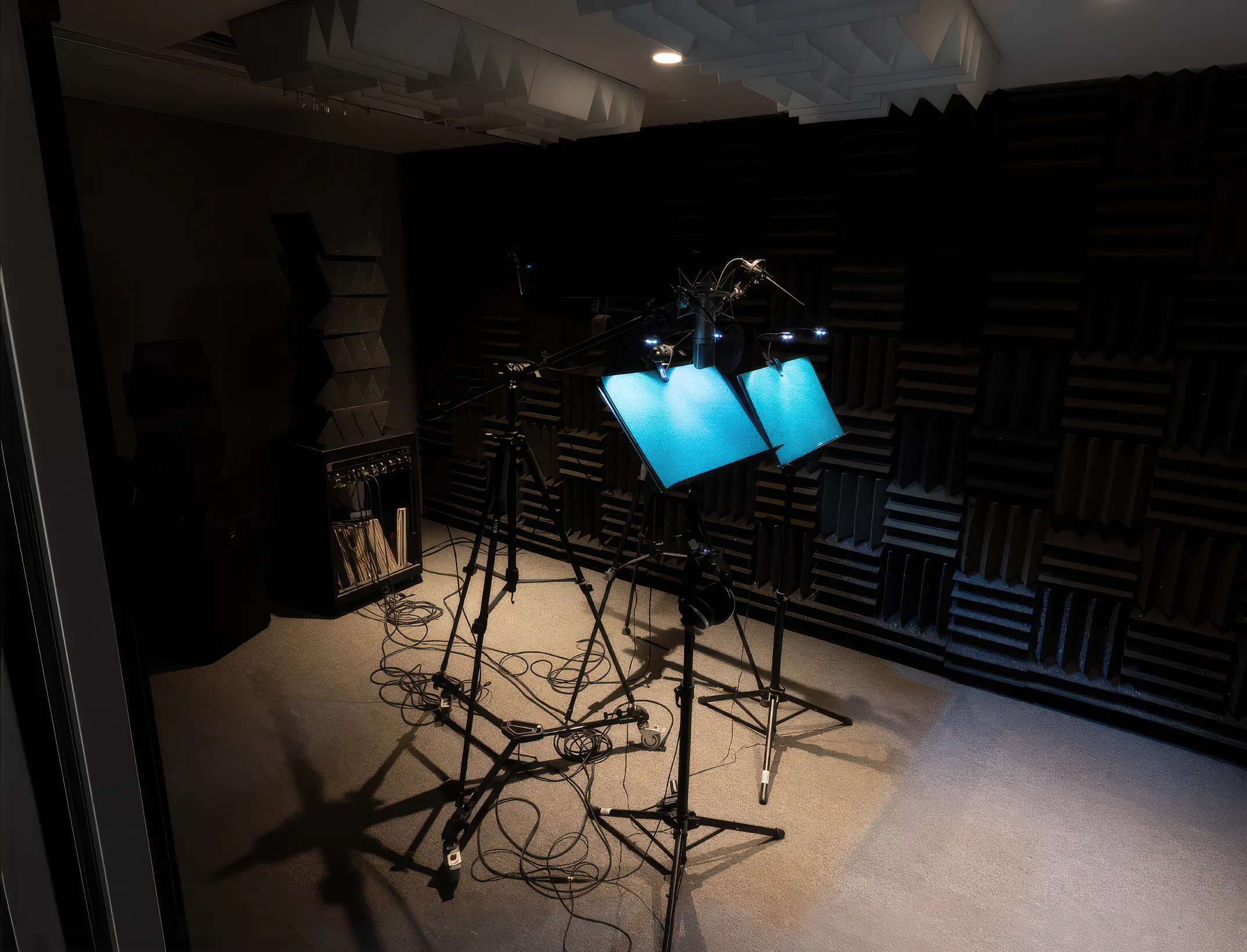
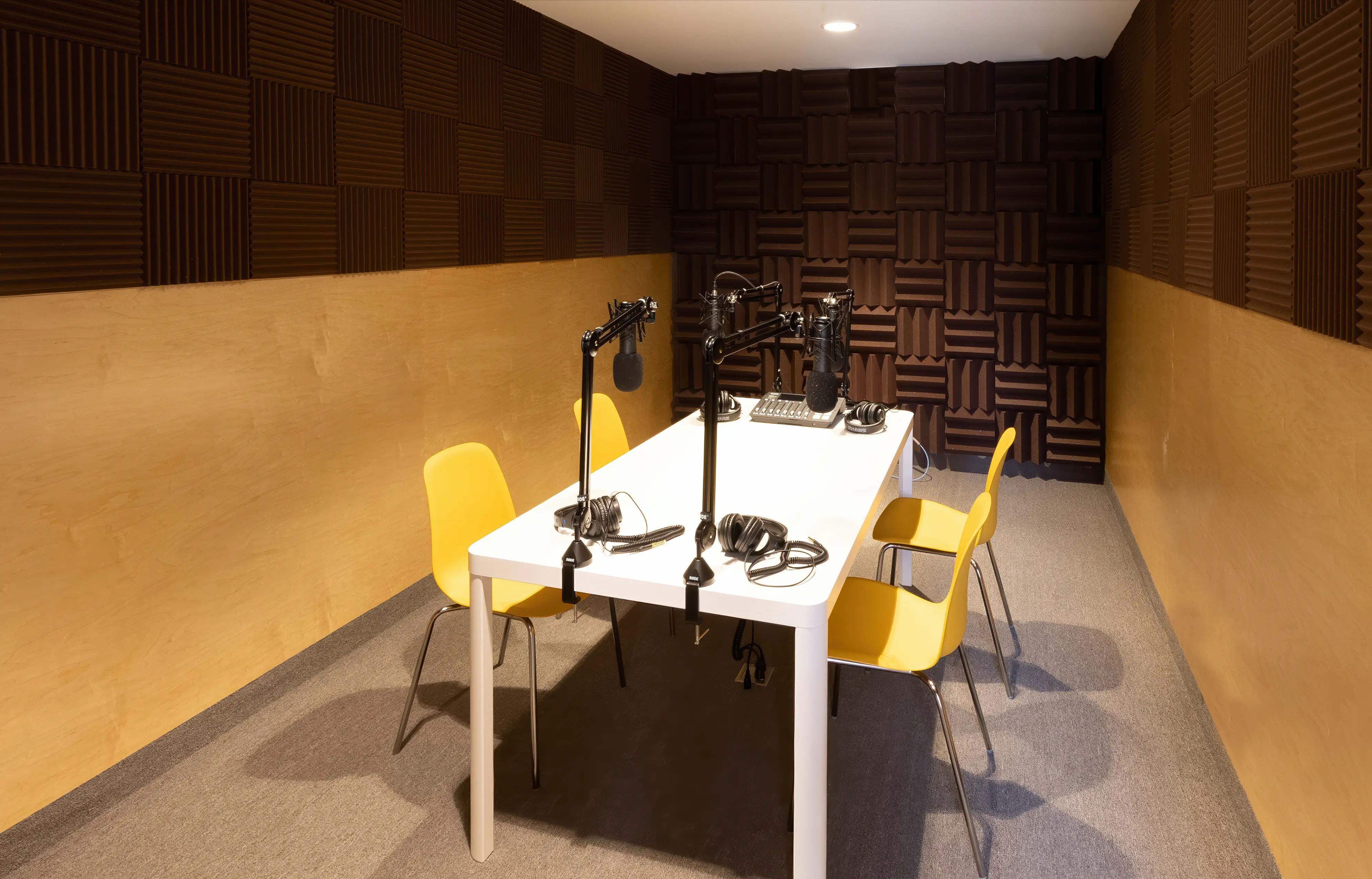
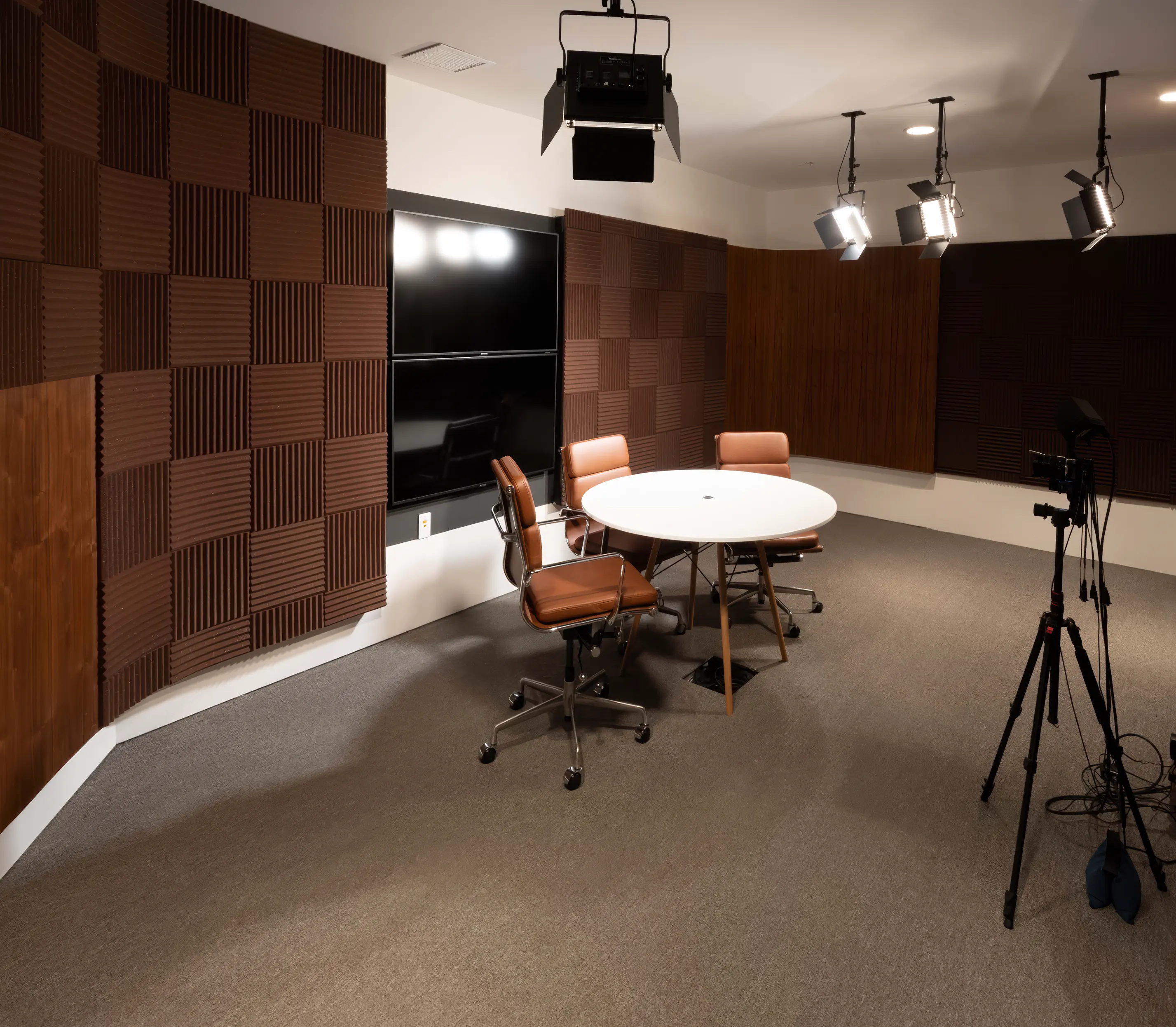
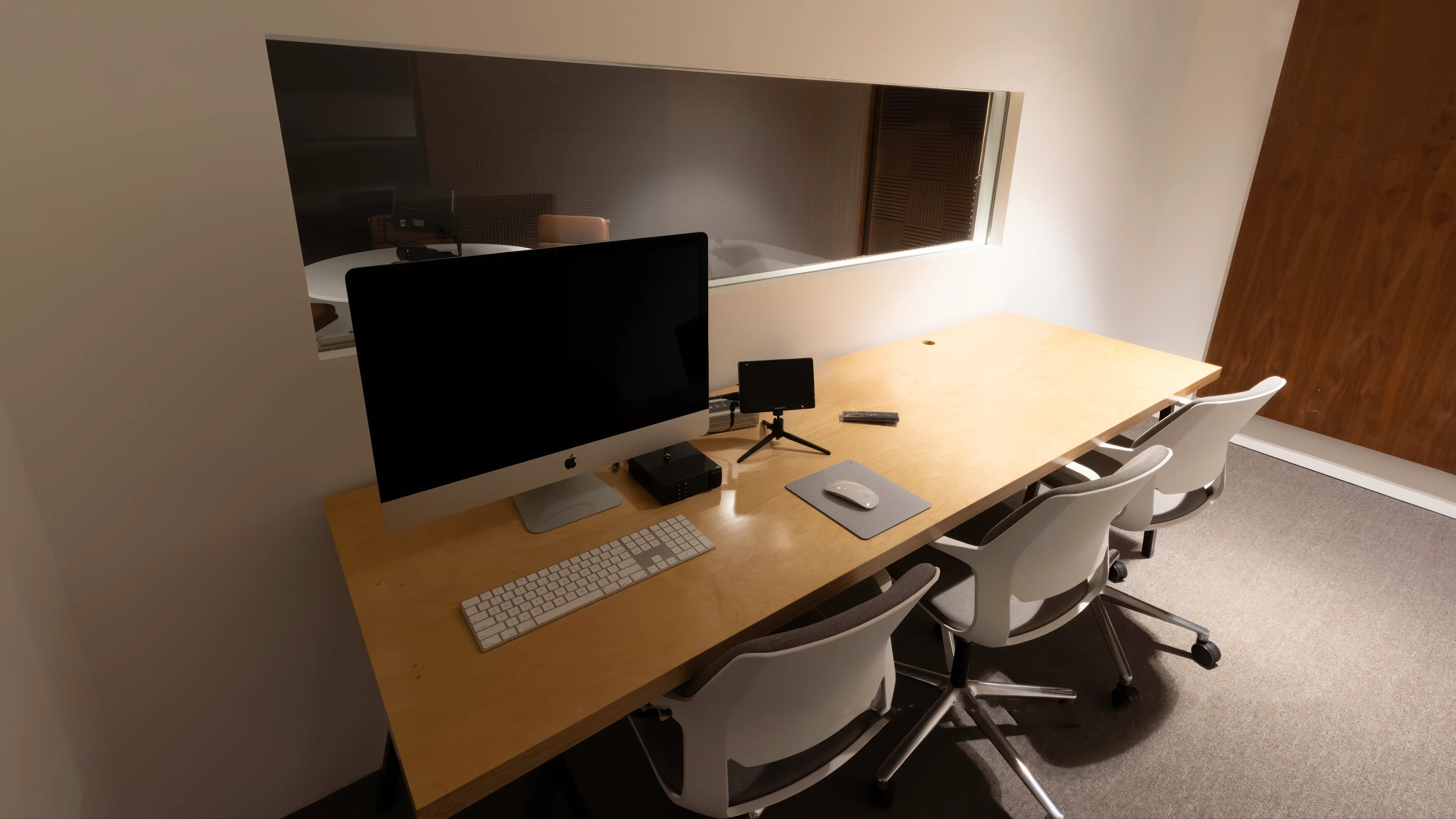
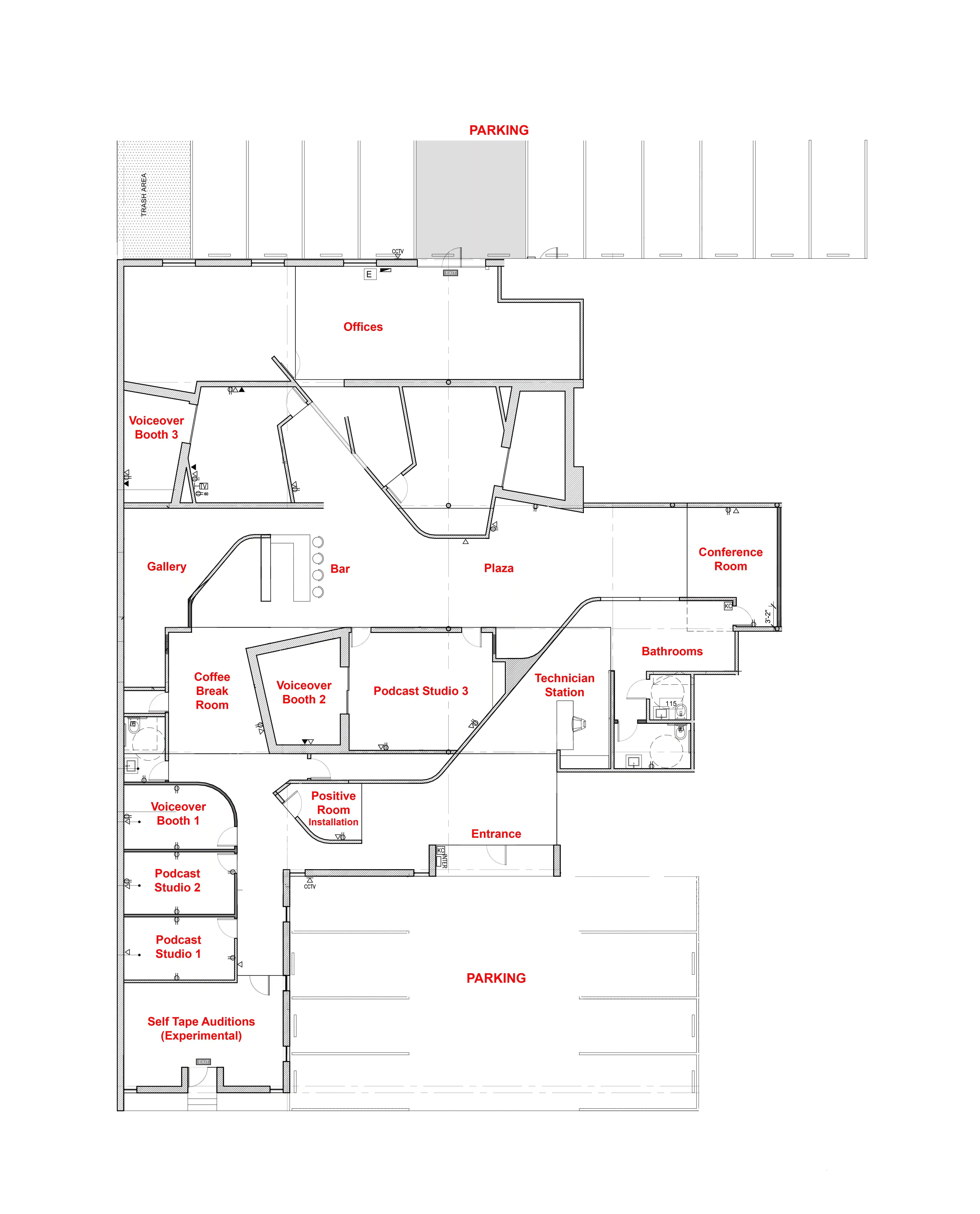
Podcast Studio 1 — The Table
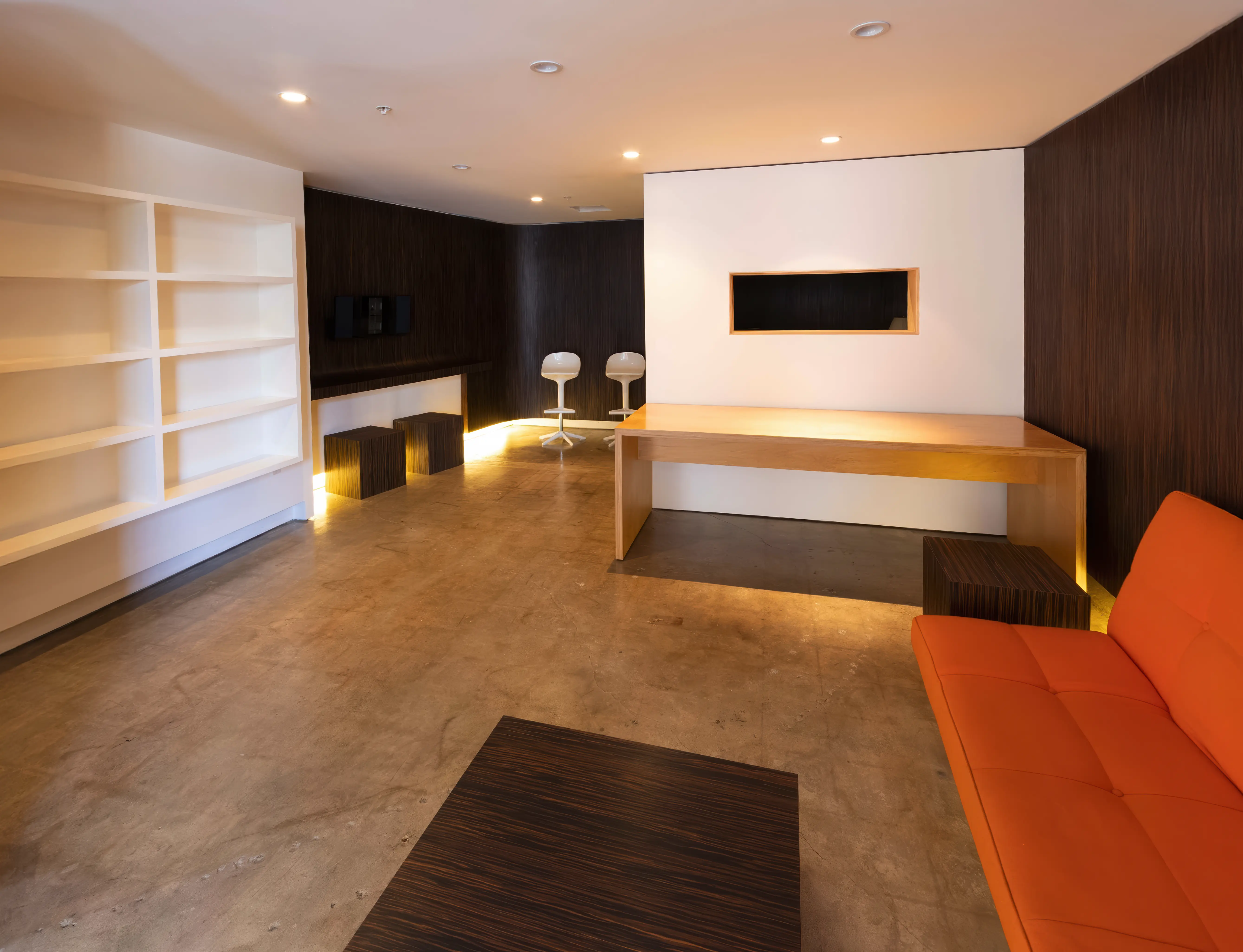
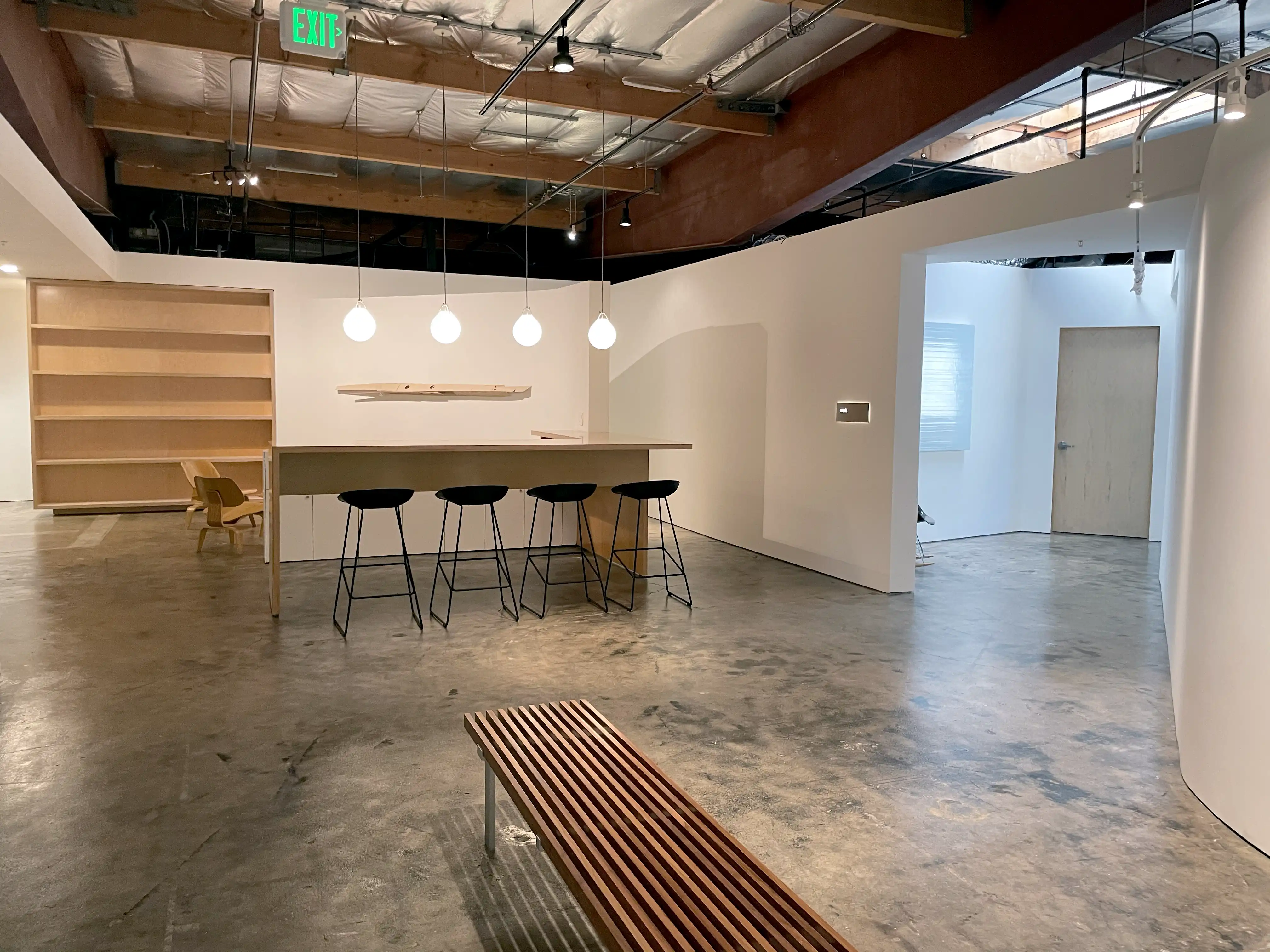
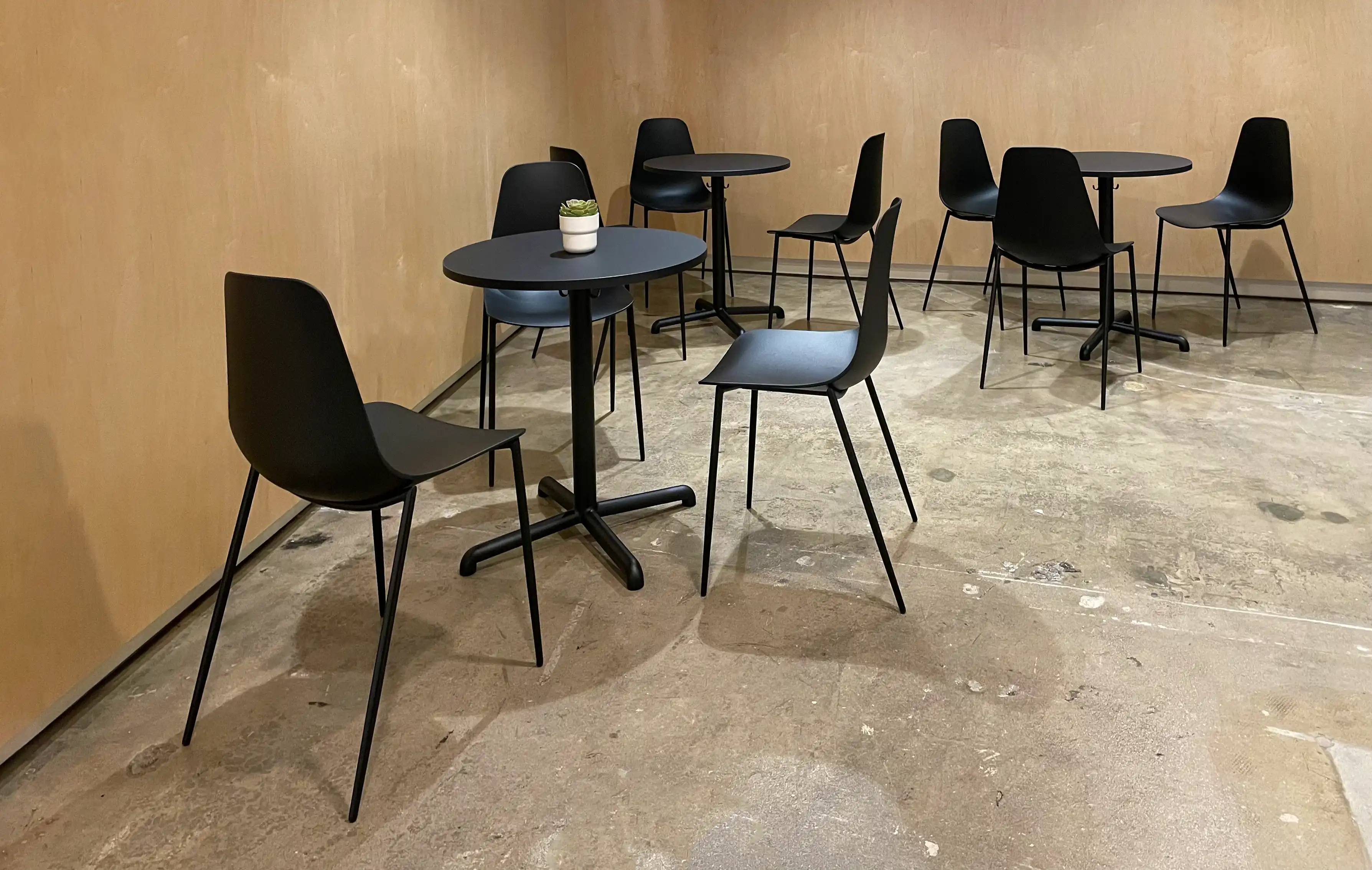
Podcast Studio 2 — The Lounge
Podcast Studio 3 — The Set
Can I reschedule my bookings?
Yes! As many times as you like! Your booked session never expires as long
as you reschedule at least two hours in advance.

What happens if I run over my booked time?
If your session runs over and our schedule permits, you can simply keep
recording. Overtime is billed in 15-minute increments and charged
automatically to the card you used when booking. It’s seamless—no
interruptions and no extra steps on your end.

What's is your refund policy?
You can cancel your purchase for a full refund with at least two hours’ notice
before your booked time. Call us at (310) 581-2481 or email us here

2

You will need:

• A computer
• USB microphone
• Headphones
• Google Chrome browser
• Internet service

3

Find a quiet place at home
with as little echo as possible.

There is no need to worry
about other background noise
as we have the technology
to take care of that.

4

MicTap will email you a link
with instructions on how to
set up the Chrome browser
and connect.

No special software is required.

5

We'll add all parties to the
session, and the client will
be able to supervise as usual.

6

MicTap will be recording
you at broadcast quality.

7

Contact us if you would
like help with your setup.

hello@mictap.com